

VoCat - My Own Vocabulary
4.1.18 by DevStory (0 Reviews) October 07, 2024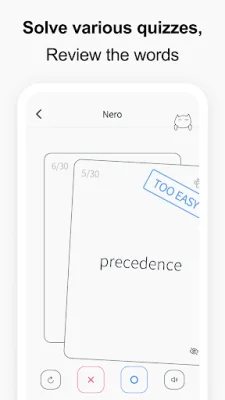
Latest Version
4.1.18
October 07, 2024
DevStory
Education
Android
0
Free
kr.co.devstory.vocat
Report a Problem
More About VoCat - My Own Vocabulary
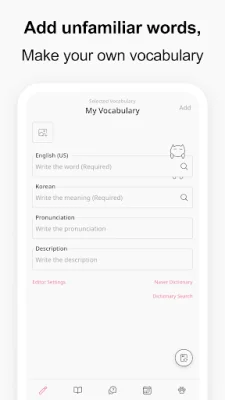
This application allows you to easily create your own vocabulary by using Google Translator to complete the meaning, part of speech, and synonyms of any word you enter. It is convenient and user-friendly, making it easy to add new words to your vocabulary. With just one click, you can also access results from Naver Dictionary and Google Translate.
You can also record words with images by selecting photos from your album or taking pictures with your camera. This feature makes learning more visual and engaging.
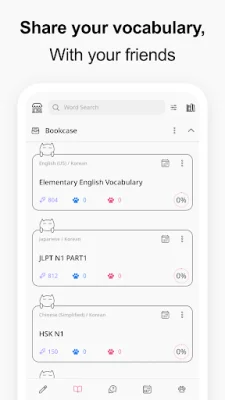
Sharing your vocabulary with friends is made simple with the option to share it as a CSV file. You can also back up your data to Google Drive for safekeeping.
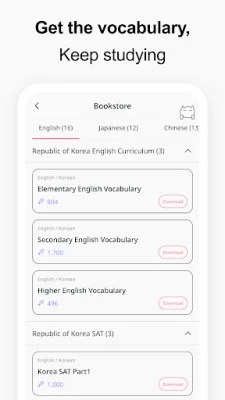
In addition to creating your own vocabulary, you can also access pre-made vocabularies for various subjects such as English, SAT words, Japanese, Chinese, and even Medicine. This makes it a versatile tool for learning different languages and subjects.
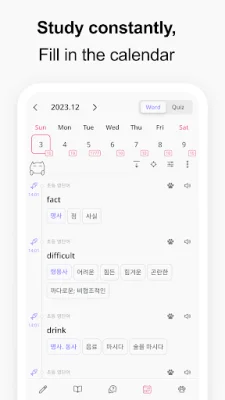
The app also offers a calendar feature where you can see the words you have added and your quiz history. Speaking of quizzes, you can test your knowledge by taking quizzes in different formats such as Swipe Cards, Multiple Choice, Dictation, and Blinker. You can even retest on the words you got wrong to improve your understanding.
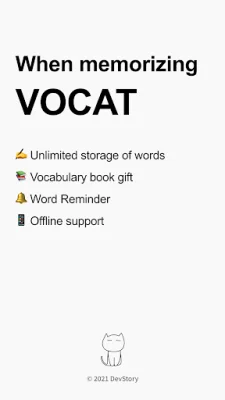
To ensure that you see the words often, the app also sends word notifications. You can also plan your study schedule by specifying how many words you want to learn per day and selecting only those words for your daily quiz.
For auditory learners, the app has a built-in speech engine that reads not only the words but also their meanings, synonyms, antonyms, and example sentences. And with support for over 100 languages, you can learn vocabulary in your preferred language. So why not give it a try and create your own vocabulary today?
Rate the App














Popular Apps









