

Voice Notify
1.3.1 [7ccf0f7] by Pilot_51 (0 Reviews) August 23, 2024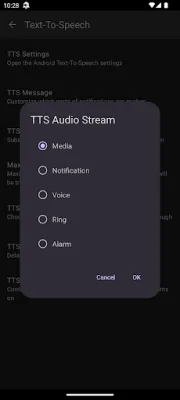
Latest Version
1.3.1 [7ccf0f7]
August 23, 2024
Pilot_51
Tools
Android
0
Free
com.pilot51.voicenotify
Report a Problem
More About Voice Notify
Xiaomi devices have a restriction that causes Voice Notify to randomly stop working. To fix this issue, go to the Settings and navigate to the Apps section. From there, select Permissions and then Background Autostart. Enable Voice Notify to ensure it continues to work properly. Keep in mind that this process may vary for different versions of the operating system.
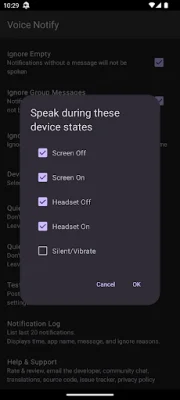
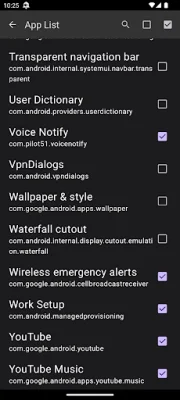
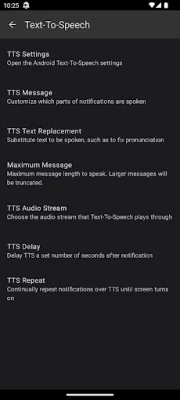
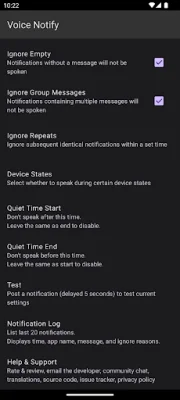
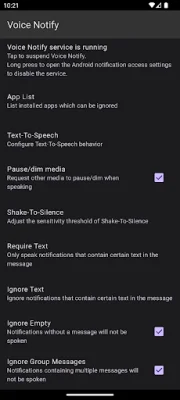
Voice Notify offers a variety of features to enhance your experience. These include a widget to suspend the app, customizable TTS messages, the ability to limit the length of spoken messages, and the option to replace text that is spoken. You can also choose to ignore specific apps or notifications that contain certain text. Additionally, you have the option to select the TTS audio stream and choose when Voice Notify speaks, such as when the screen or headset is on or off, or while in silent or vibrate mode. Please note that due to API limitations, a headset that is connected when the Voice Notify service starts will need to be reconnected for the app to see the current state. Also, all Bluetooth devices are detected the same, whether they are headsets or not.
Other features of Voice Notify include Quiet Time, Shake-to-silence, a custom delay for TTS after a notification, and the ability to repeat notifications at a custom interval while the screen is off. The app also offers a notification log and the option to post a test notification.
In order for Voice Notify to work, it must be enabled in the Notification Access settings. Shortcuts are provided in the configuration screen to easily access these settings, as well as the TTS settings.
Some permissions are required for Voice Notify to function properly. These include Bluetooth, which is necessary to detect whether a Bluetooth headset is connected, Vibrate, which is needed for the Test feature while the phone is in vibrate mode, Modify Audio Settings, which is required for improved wired headset detection, and Read Phone State, which allows Voice Notify to interrupt TTS if a phone call becomes active.
Voice Notify is open source under the Apache License and the source code can be found on GitHub. The app also offers translations in multiple languages, which are crowdsourced through Weblate. If you encounter any issues, you can submit them on GitHub or email the developers. A special thank you is given to all the developers and translators who have contributed their time and expertise to make Voice Notify better.
Rate the App















Popular Apps









