

VPN Client Pro
by colucci-web.it (0 Reviews) August 06, 2024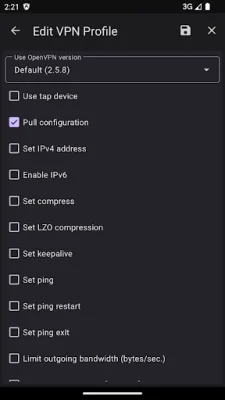
Latest Version
August 06, 2024
colucci-web.it
Tools
Android
0
Free
it.colucciweb.vpnclientpro
Report a Problem
More About VPN Client Pro
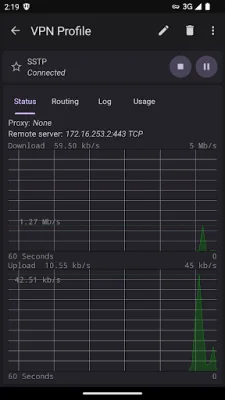
The OpenVPN application is a free service that allows users to securely connect to the internet. While the basic features are available for free, additional protocols and features require a license to be purchased. This ensures that users have access to a wide range of options to customize their VPN experience.
In order to provide the best service possible, the application requests certain permissions from the user. These permissions are used for specific purposes, such as importing VPN configurations and exporting logs and backups. The storage permission is required for this function on Android devices older than version 10. The location permission is used to access the current WiFi SSID, which is necessary for the auto connect feature. It is important to note that the location of the device is not read. The camera permission is used to import VPN configurations from QR codes. Additionally, the QUERY_ALL_PACKAGES permission allows the user to select which apps are allowed or not allowed to use the VPN.
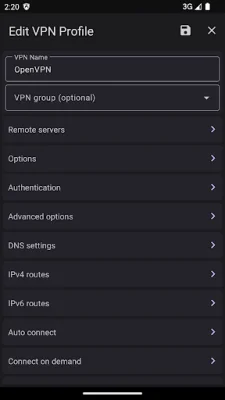
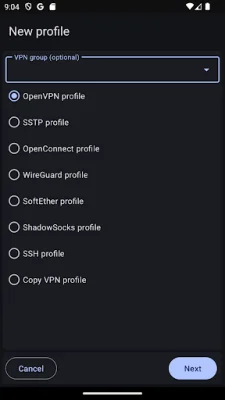
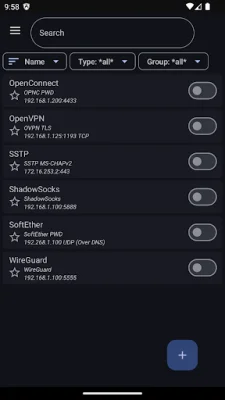
The app offers a variety of features to enhance the user's VPN experience. These include support for OpenVPN TAP devices without root permission, VLAN 802.1Q support, and OpenVPN Obfsproxy support. The app also supports SSTP EAP-TLS and EAP-MS-CHAPv2 authentication, as well as SoftEther TCP and UDP over DNS/NAT-T. Other protocols such as WireGuard, ShadowSocks, SSH Tun, OpenConnect, and Cisco AnyConnect SSL are also supported. The app also offers biometric authentication, port knocking, and the ability to connect on demand.
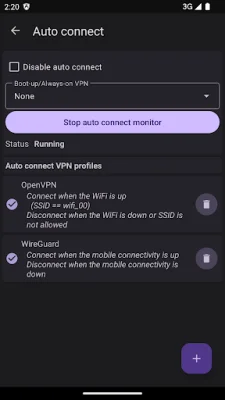
Users can also customize their VPN experience with features such as auto connect on boot, auto connect/pause/disconnect on WiFi, mobile, or WiMAX, and app filtering. The app also supports DNS over HTTPS and TLS, split DNS by domain, and local hosts mapping to override DNS requests. In case of connection failure, the app offers failover VPN profiles. It also has support for Tasker/Locale plugin, widgets, quick settings tiles, and dynamic shortcuts. Users can also import various certificate formats and use certificates from KeyChain. The app also supports IPv6, HTTP/SOCKS proxies, and customized HTTP headers.
In addition to its many features, the app also offers the ability to backup and restore configurations. The developers strive to make the app original and SEO-oriented, ensuring that users have a seamless and secure VPN experience.
Rate the App















Popular Apps









