

Wake On Lan
1.79 by Mike Webb (0 Reviews) September 22, 2024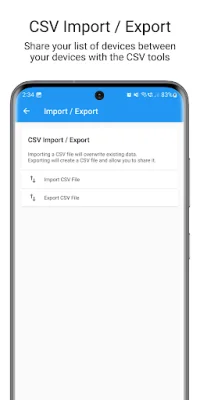

Latest Version
1.79
September 22, 2024
Mike Webb
Tools
Android
0
Free
co.uk.mrwebb.wakeonlan
Report a Problem
More About Wake On Lan
This app allows you to automate the process of waking up your computers by sending an intent broadcast from apps like Llama and Tasker. The latest version also supports Tasker plugins, making it even easier to automatically wake devices. Instructions for setting this up can be found in the app's help section.
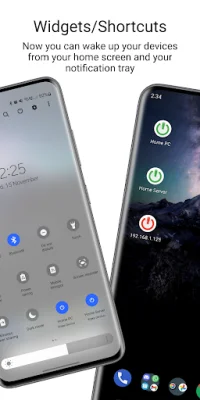
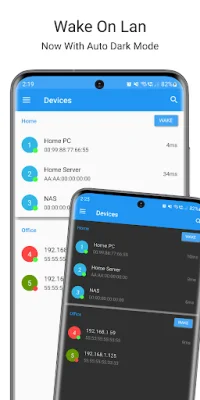
The app has a variety of features, including the ability to create groups, search for devices on your network and add them to your list, and a one-touch wakeup widget for both devices and groups. It also has a Tasker plugin and supports intent broadcast. You can import and export your list of devices using CSV files, and the app has a modern Material Design interface.
The app is capable of automatically refreshing the online status of your devices using both ports and ping. It also supports Wake On Lan (WoL) and Wake On Wan (WoW). For WoW, you simply need to set the broadcast address to be the remote IP address of the device. However, for devices connected via WiFi, WOL may not work as it is not supported by many WiFi cards. Some devices, like laptops, may not support WOL at all or only work when in sleep mode or powered off.
The app requires certain permissions, such as access to photos, media, files, and USB storage, in order to read and write CSV files for easy sharing of your list of devices. It also needs network and WiFi access to send the magic packets to wake up your devices, as well as for the network search feature and pinging devices to check their online status.
Wake On Lan supports multiple languages, including English, Italian, Vietnamese, Dutch, Russian, German, Spanish, French, Japanese, Portuguese (Brazil), Slovak, Czech, Polish, and Korean. If your language is not currently supported, you can help translate the app by visiting the provided website. And if you have any suggestions for the app, you can contact the developer via email.
Rate the App












Popular Apps









