

WebDAV Server
1.17 by The Olive Tree (0 Reviews) November 15, 2025

Latest Version
1.17
November 15, 2025
The Olive Tree
Tools
Android
0
Free
com.theolivetree.webdavserver
Report a Problem
More About WebDAV Server
This application is a WebDAV server that has been tested on Windows8 Explorer and can also work on Windows7. However, it is not compatible with WindowsXP. The application can be downloaded from the website http://www.bitkinex.com/. Special thanks are given to Beatriz Vera, Peter Ulrich, Gabor Fodor, Manuela Merino García, and Anna Rainieri for their contributions to the development of this application.
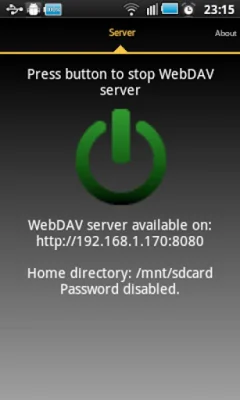
The application has implemented Intents, specifically com.theolivetree.webdavserver.StartWebDavServer and com.theolivetree.webdavserver.StopWebDavServer. These Intents allow users to easily start and stop the WebDAV server.
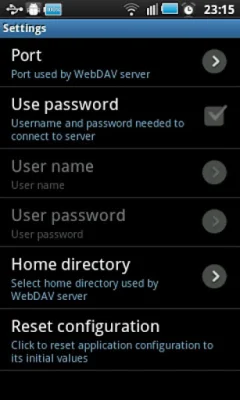
Users can also find a lock setting within the application that allows them to specify how the device should be kept awake while the server is running. There are three modes available: SCREEN_DIM_WAKE_LOCK, WIFI_MODE_FULL, and WIFI_MODE_FULL_HIGH_PERF. The first mode keeps the screen on, resulting in higher energy consumption. The second mode turns the screen off, but may result in dropped data connections. The third mode, only available on Android devices with version 3.1 or higher, is recommended for energy saving but may have some issues. Users can also select the default lock mode if they encounter problems with the recommended mode.
For users who do not have access to a network, there is an option to connect to the WebDAV server using a USB cable. This can be done by enabling USB debugging in the phone's settings, starting the adb server on the PC, and forwarding ports from the PC to the phone. The WebDAV server can then be accessed through the PC's WebDAV client.
The application requires certain permissions to function properly. These include INTERNET, ACCESS_NETWORK_STATE, ACCESS_WIFI_STATE, WRITE_EXTERNAL_STORAGE, and WAKE_LOCK. These permissions allow the server to communicate with WebDAV clients, write received files on the phone's storage, and keep the phone awake while the server is running.
Users may encounter problems when handling large files, which may be due to limitations in the Windows webdav client. To increase the size of files that can be managed by the client, users can make changes to the Windows registry and restart their computer. This will allow files up to 4 Gigabytes to be handled by the client.
Rate the App















Popular Apps









