

WellsOne Expense Manager
242.0 by Wells Fargo Mobile (0 Reviews) August 03, 2024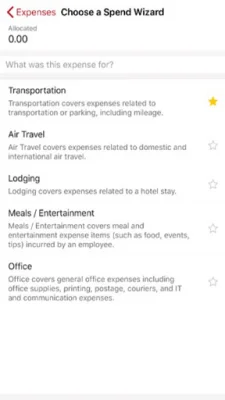
Latest Version
242.0
August 03, 2024
Wells Fargo Mobile
Finance
Android
0
Free
com.wf.wellsone.app
Report a Problem
More About WellsOne Expense Manager
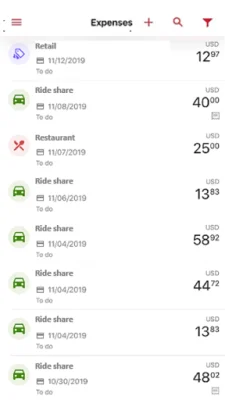
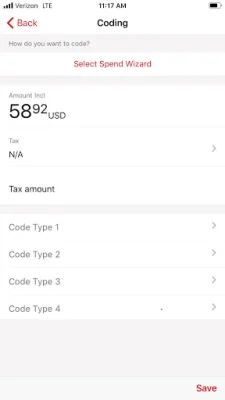
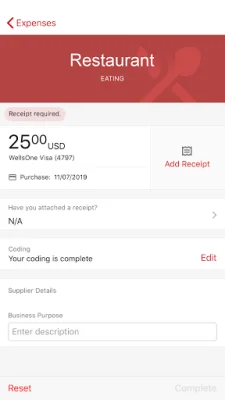
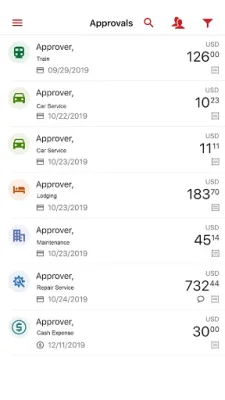
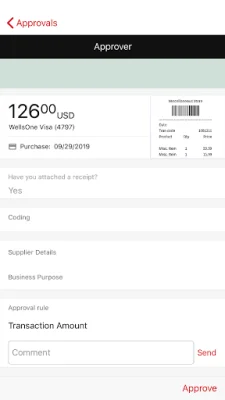
This app is designed to help users easily manage their expenses and receipts. It allows users to capture and store receipts, add necessary information to transactions, and submit them for approval. The app also offers features such as spend wizards, which help with itemization, and expense templates, which can be applied to transactions for easier processing. Users can also request and submit reimbursement for cash expenses through the app.
In addition to managing expenses, the app also provides access to card account information, including credit limit information. This allows users to keep track of their spending and stay within their budget. The app also allows for the approval of submitted card transactions, making it easier for managers to keep track of their team's expenses.
In order to use the app, users must have a Wells Fargo issued WellsOne® commercial card and use WellsOne Expense Manager. They also need access to the Commercial Electronic Office®(CEO®). Once these requirements are met, users can download and install the app on their mobile device. It is recommended to download the latest version for the best experience.
However, the availability of the app may be affected by the user's mobile carrier's coverage area. It is also important to note that the user's carrier may charge message and data rates for using the app. The app is available for download on the Google Play™ store, and it is compatible with Android devices.
In conclusion, the WellsOne Expense Manager app is a convenient and efficient tool for managing expenses and receipts. It is designed for users who have a WellsOne® commercial card and access to the Commercial Electronic Office®(CEO®). With its various features and easy-to-use interface, the app makes expense management a seamless process for both individuals and teams.
Rate the App















Popular Apps









