

WiFi HotSpot & Share File- Pro
6.123 by LetsMemo Limited Company (0 Reviews) March 28, 2026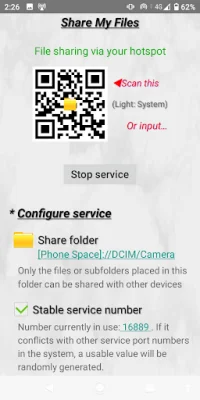
Latest Version
6.123
March 28, 2026
LetsMemo Limited Company
Tools
Android
0
$6.49
com.shrdi.hotspottetheringpayver
Report a Problem
More About WiFi HotSpot & Share File- Pro
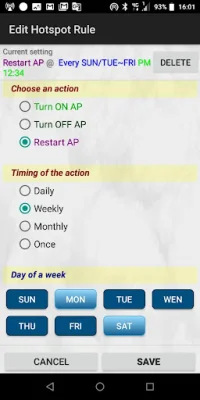
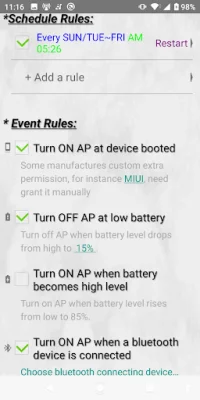
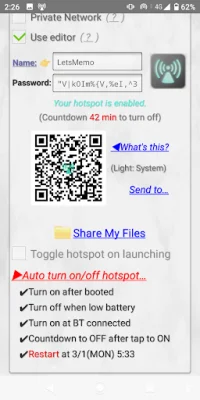
This application is designed to make it easy for users to switch between different hotspots and share their 3G/4G/5G telecom network. It also allows for the scheduling of hotspots, with the ability to automatically enable, disable, or restart them based on various date and time rules. Users can also set events to trigger the hotspot, such as phone booting, connecting to a Bluetooth device, or battery level being low or high. The app also includes a hotspot manager, where users can edit hotspots, create random passwords, and generate QR codes for others to scan and tether with. Additionally, users can share files via hotspot or Wi-Fi, with the option to configure a shared folder and generate a QR code for other devices to access directly.
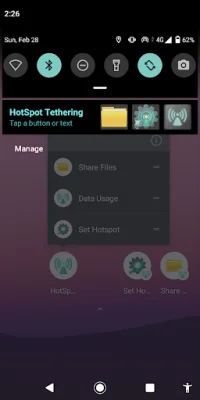
The app also offers shortcuts for easy access to hotspot settings, as well as a built-in client-side picture viewer for quick navigation. It does not collect personal privacy information or show ads, making it a safe and user-friendly option for sharing networks.
One scenario where this app would be useful is if a user is sharing their network with family members using a backup phone, but they leave to travel and their phone crashes or runs out of power. In this situation, the family members can easily switch to another hotspot using the app.
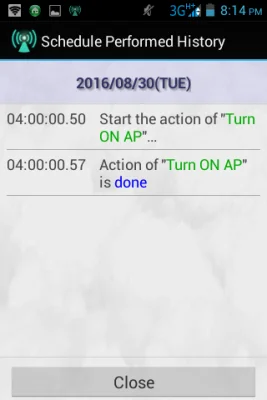
Another useful feature is the ability to schedule hotspots, such as only sharing the network on weekends or at certain times. This eliminates the need for manual enabling and disabling of hotspots.
The app also allows for customization, such as setting different hotspots for different devices. For example, a user may want to share their network with new customers for a short period of time using a random password hotspot. The customers can quickly scan the QR code and tether to the hotspot without needing to remember or type in a password.
The app also addresses common issues, such as forgetting to turn off the hotspot before the phone's battery dies. Users can set rules or checkboxes to automatically turn off the hotspot in these situations.
Other useful features include automatically enabling the hotspot when a Bluetooth device is connected, and the ability to share files with other devices even without internet access. This can be helpful in situations where the internet is not available, but files need to be shared with a group.
The app also includes demo videos for users to easily learn how to use its features. It is designed to be user-friendly and eliminate any potential issues or inconveniences related to sharing networks.
Rate the App















Popular Apps









