

WiFi Monitor: network analyzer
2.10.16 by Alexander Kozyukov (0 Reviews) August 06, 2024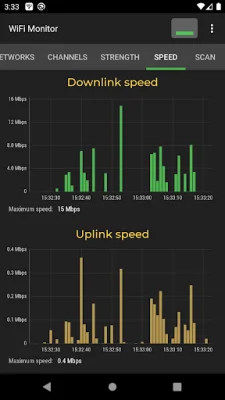
Latest Version
2.10.16
August 06, 2024
Alexander Kozyukov
Tools
Android
0
Free
com.signalmonitoring.wifimonitoring
Report a Problem
More About WiFi Monitor: network analyzer
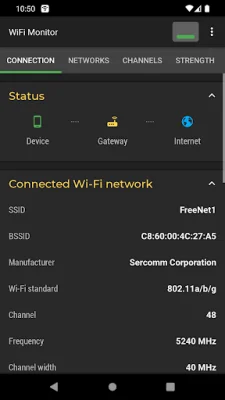
The "Connection" tab is a useful tool for keeping track of important information about your connected WiFi hotspot. This includes the name (SSID) and identifier (BSSID), as well as the router manufacturer, connection speed, signal strength, frequency, channel number, ping info, hotspot security options, and the MAC address and IP address of your smartphone. You can also view details such as the subnet mask, default gateway, and DNS address.
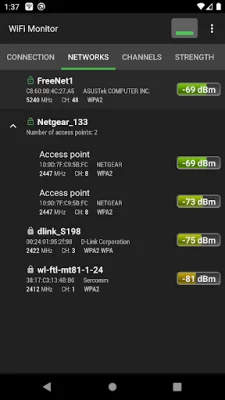
The "Networks" tab allows you to analyze all available WiFi networks based on various parameters such as type, equipment manufacturer, signal level, and security protocol. This tab also groups together access points with the same name (SSID).
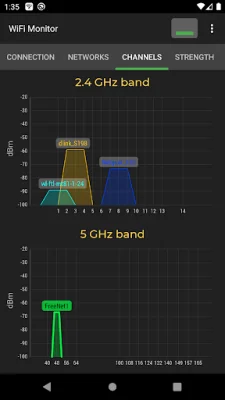
In the "Channels" tab, you can view the signal level of hotspots based on their frequencies. This is important because routers using the same frequencies can result in a poor quality WiFi connection.
The "Strength" chart is a helpful tool for comparing the received power levels of different WiFi hotspots and tracking their dynamics. Generally, a higher router signal strength indicates a better quality wireless connection.
The "Speed" chart displays the real amount of transmitted and received data in the connected network. This can be useful for analyzing your usage of a hotspot.
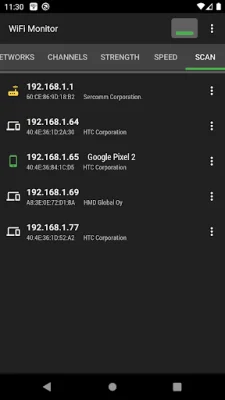
The "Scanning" section allows you to search for devices in the connected network and view their parameters. If the scanner detects any foreign devices in your WLAN, you can take action by blocking them in your router settings.
All of the collected data can be saved to a log file and exported to other applications for further analysis. This makes the "Connection" tab a valuable tool for monitoring and optimizing your WiFi network. Visit https://signalmonitoring.com/en/wifi-monitoring-description to learn more about this helpful application and how it can benefit you.
Rate the App















Popular Apps









