Wifi Mouse - Remote Control fo
9.8 by D City Apps (0 Reviews) August 05, 2024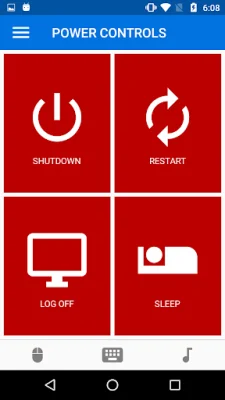
Latest Version
9.8
August 05, 2024
D City Apps
Tools
Android
0
Free
vivid.designs.wifimouse
Report a Problem
More About Wifi Mouse - Remote Control fo
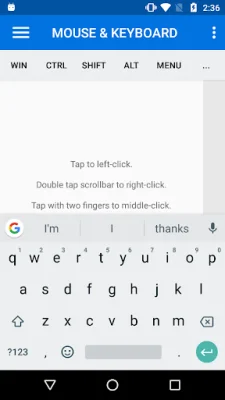
This application allows you to use your Android device as a remote control for your computer. You can use the touchscreen on your device as a touchpad, similar to a laptop touchpad, to control your computer's cursor and perform actions like clicking and scrolling. You can also use the Android keyboard to type on your computer, making it easier to type longer messages or documents.
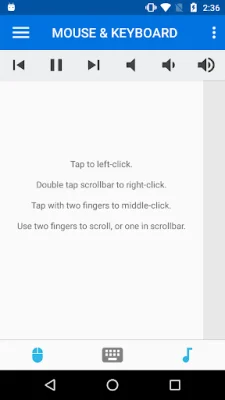
In addition to controlling your computer's basic functions, this app also allows you to use media keys to control your computer's media playback. You can adjust the volume, mute, skip to the previous or next song, and play or pause your media directly from your Android device.
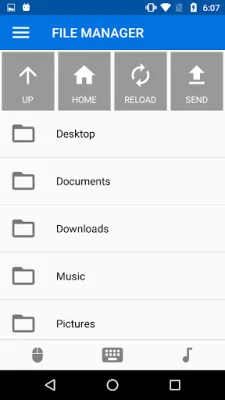
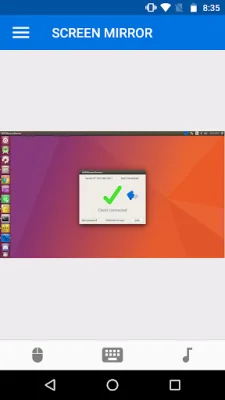
One of the most useful features of this app is the ability to mirror your computer's screen on your phone. This means you can view your computer's screen on your phone, making it easier to access files and programs on your computer without having to be physically at your computer. You can also use the file manager feature to browse and manage your computer's files, including moving them around, opening them, and uploading or downloading files between your computer and phone.
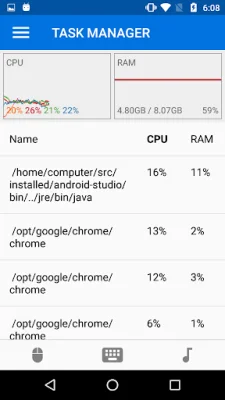
This app also allows you to start applications and run console commands on your computer remotely. You can also use the task manager feature to view your computer's running processes, monitor CPU and RAM usage, and kill any processes that are using too much computing power.
Finally, this app offers remote control options for shutting down, restarting, logging off, and putting your computer to sleep. You can also use your Android device to lock or blank your computer's screen, as well as adjust the brightness remotely. This app also serves as a generic presentation remote, making it easy to control presentations on programs like Powerpoint or Libreoffice Impress. With its various features and convenient functionality, this app is a must-have for anyone looking to control their computer remotely.
Rate the App















Popular Apps









