

Wifi Remote Mouse - Peyara
2.0.3 by Shafiul Muslebeen (0 Reviews) August 07, 2024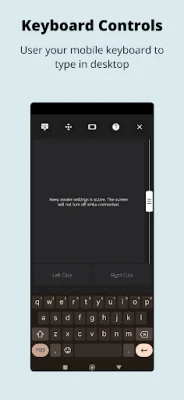

Latest Version
2.0.3
August 07, 2024
Shafiul Muslebeen
Tools
Android
0
Free
io.github.ayonshafiul.peyara
Report a Problem
More About Wifi Remote Mouse - Peyara
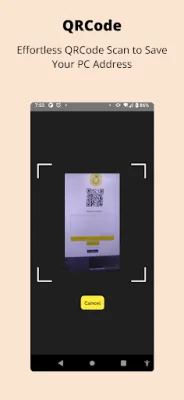
Peyara Remote Mouse is a convenient and versatile application that allows you to use your mobile device as a wireless mouse and keyboard. With just three simple steps, you can transform your phone into a powerful remote control for your computer. The first step is to download the desktop client on your Windows, Linux, or Mac operating system from the provided link. Once the client is installed, you can easily connect your phone to your computer by scanning a QR code. The onboarding process is quick and easy, making it simple for anyone to get started.
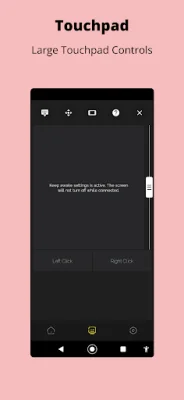
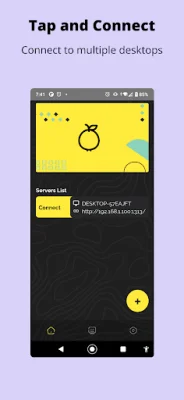
One of the key features of Peyara Remote Mouse is its connectivity options. The app offers effortless QR code scanning, automatic server detection, and fast device switching. This means that you can easily connect and switch between multiple devices without any hassle. Additionally, the app also offers a range of touchpad features, including single and double tapping, right-clicking with a two-finger tap, and using two or three fingers for scrolling and click and drag gestures.
The keyboard features of Peyara Remote Mouse allow you to use a virtual keyboard on your phone to input basic text on your computer. This is especially useful for situations where you don't have access to a physical keyboard. The app also offers media control features, allowing you to adjust the volume and control audio playback on your computer directly from your phone. You can play, pause, stop, and skip tracks with ease.
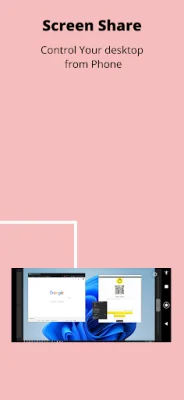
In addition to these features, Peyara Remote Mouse also offers screen sharing capabilities. You can share your computer's desktop screen and view it on your phone, giving you the ability to control your computer from a distance. This is particularly useful for presentations or when you need to access your computer from another room. The app also offers clipboard features, allowing you to easily copy and share text between your phone and computer with just a few clicks.
If you're interested in exploring the inner workings of Peyara Remote Mouse, you can check out the app's Github source. The developers have made the code available for anyone to view and contribute to, making it a truly community-driven project. With its user-friendly interface and a wide range of features, Peyara Remote Mouse is a must-have for anyone looking to enhance their computer usage experience. So why wait? Download the app now and start using your phone as a wireless mouse and keyboard combo!
Rate the App















Popular Apps









