World Clock: Convert Time
by IP Mobile Technologies (0 Reviews) March 28, 2026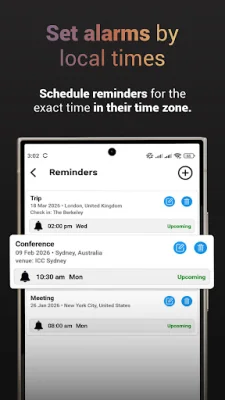
Latest Version
March 28, 2026
IP Mobile Technologies
Tools
Android
0
Free
com.ipmobiletech.worldclock.timezone
Report a Problem
More About World Clock: Convert Time
This application is perfect for anyone who needs to schedule meetings across different time zones, manage distributed teams, plan international travel, or keep track of family members living in different parts of the world. It offers a variety of features and benefits that make it easy to stay on top of time differences and stay organized.
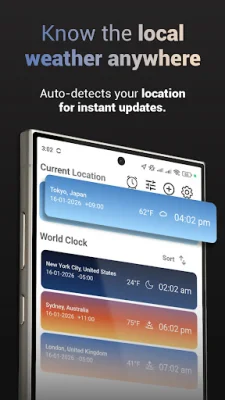
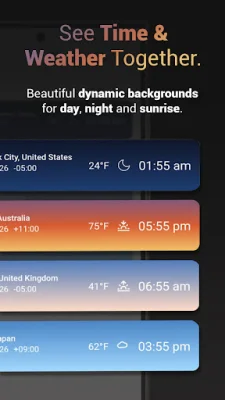
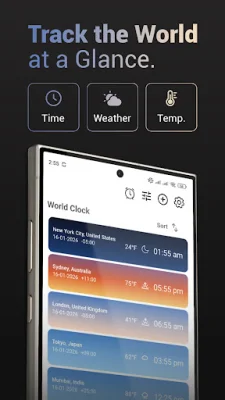
One of the key features of this application is the ability to track multiple cities at once. Users can view the current time, live weather, and temperature for each city on their list, making it easy to see the time differences at a glance.
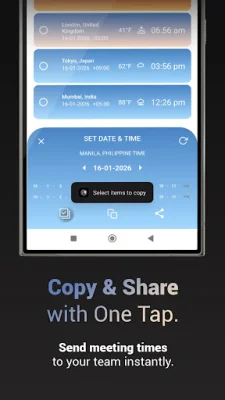
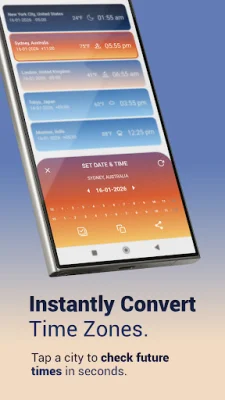
There are two ways to convert time in this application. The first is a quick convert option, where users can select a city from their list and instantly see the converted time. They can then copy or share this information with just one tap. The second option is a time table view, which displays a spreadsheet-style grid that allows users to see time changes across all their tracked locations at once.
The application also offers advanced reminders and local alarms, making it easy to never miss a meeting or flight. Users can set detailed reminders with titles and notes, and schedule alarms based on the local time and date of any specific time zone. This feature is especially useful for those who frequently travel internationally.
The home screen widgets in this application are also highly customizable. Users can choose from a world map widget that displays their saved locations, or customizable widgets that allow them to toggle temperature, date, and time zone names on or off to match their home screen style.
Privacy is a top priority for this application, with a privacy-first design that ensures no tracking, data collection, or third-party sharing. All locations and preferences stay on the user's device only. The application also offers smart organization features, allowing users to rename cities and assign custom tags to keep their list organized.
With a beautiful interface that changes with the day, this application offers dynamic visuals that show sunrise, daylight, sunset, and night phases for each location. It is free to download, with no ads or tracking, making it a popular choice for remote teams and global professionals. Say goodbye to missed meetings and confusing time zones by downloading World Clock today.
Rate the App










Popular Apps









