

WPSApp Pro
1.7.04 by TheMauSoft (0 Reviews) May 02, 2026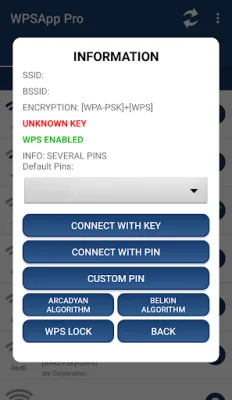
Latest Version
1.7.04
May 02, 2026
TheMauSoft
Tools
Android
0
$0.99
com.themausoft.wpsapppro
Report a Problem
More About WPSApp Pro
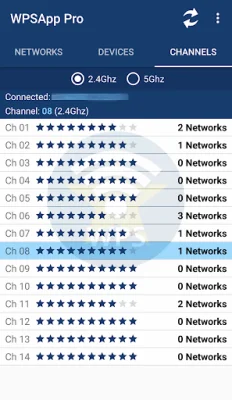
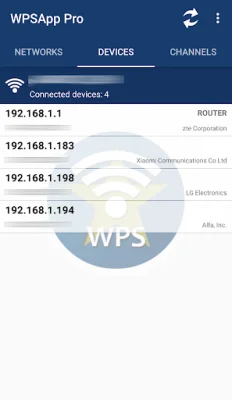
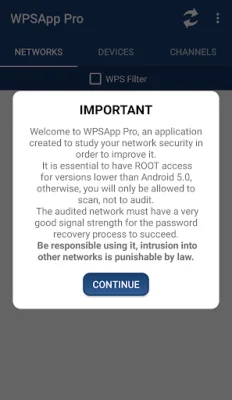
This application allows you to easily connect to WiFi networks by using an 8-digit pin number. This pin number is typically pre-set in the router, but the issue is that the pin for many routers from different companies is either known or can be easily calculated. This app takes advantage of this vulnerability by using various algorithms and default pins to try and connect to the network. It also has the ability to view stored WiFi passwords, scan connected devices, and analyze the quality of WiFi channels.
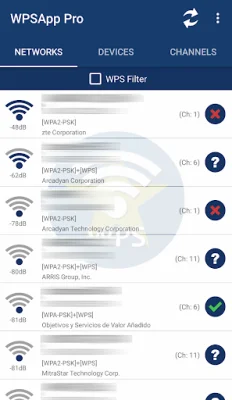
The app is user-friendly and straightforward. When scanning for networks, those with a red cross are considered "secure" because they have disabled the WPS protocol and the default password is unknown. Networks with a question mark have the WPS protocol enabled, but the pin is unknown. In this case, the app allows you to test the most common pins. Networks with a green tick are most likely vulnerable, as they have the WPS protocol enabled and the connection pin is known. It is also possible for a network to appear green if the WPS protocol is disabled, but the password is known.
It is important to note that not all networks are vulnerable and just because a network appears as such does not guarantee 100% that it is. Many companies have updated their router firmware to fix this vulnerability. If you find that your network is vulnerable, it is recommended to turn off WPS and change the password to a strong and personalized one.
It is necessary to be a Root user to view passwords and connect on Android 9/10 and for some extra functions. Starting from Android 6 (Marshmallow), location permissions must be granted in order for the app to work. This is a new requirement from Google. Some Samsung models may show encrypted passwords as a long series of hexadecimal digits. For more information on how to decrypt them, you can search online or contact the app developer.
There are a few known issues with certain models, such as LG models with Android 7 (Nougat) where the pin connection does not work due to LG's own software. It is recommended to understand how the app works before giving an evaluation. If you have any suggestions, issues, or comments, you can contact the app developer via email. The app also gives acknowledgments to various individuals who have contributed to its development.
Rate the App















Popular Apps









