
Xbox Game Pass
2407.30.624 by Microsoft Corporation (0 Reviews) August 02, 2024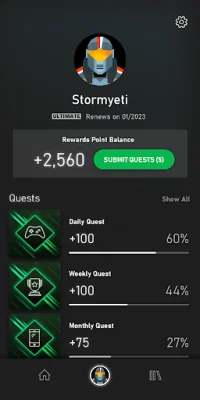
Latest Version
2407.30.624
August 02, 2024
Microsoft Corporation
Entertainment
Android
0
Free
com.gamepass
Report a Problem
More About Xbox Game Pass
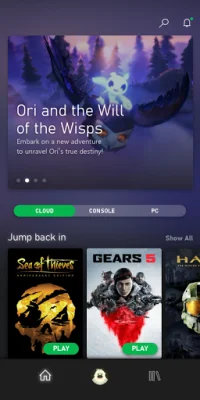
The Xbox Game Pass app offers a wide range of games from all genres, including popular blockbusters and highly-rated indie titles. With over 100 games to choose from, there is always something new to play and the freedom to discover and revisit your favorite games.
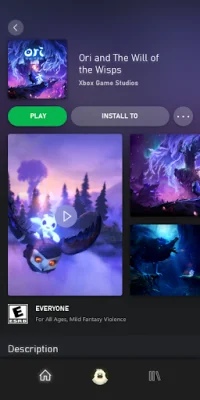
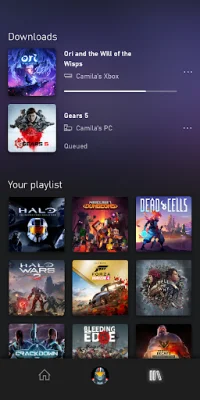
By downloading the Xbox Game Pass app, you can easily search, browse, and download new games to your console directly from your mobile device. This allows you to have your games ready to play whenever you are.
So how does Xbox Game Pass work? Simply join the service and gain access to over 100 games, including new Xbox exclusives on the same day they are released. Use the Xbox Game Pass app (Beta) to browse and download games to your Xbox One or Xbox Series X/S, and set your console to "Instant-On" to allow for game downloads even when you are away. You can find this feature in the Power & Startup menu in Settings. Additionally, you can receive notifications about new games coming to Xbox Game Pass and start playing as soon as they are available by pre-downloading them to your console.
As a member of Xbox Game Pass, you can also save up to 20% on Xbox One game purchases from the existing catalog, as well as 10% off any Xbox game add-ons. For any assistance, you can visit support.xbox.com.
Before installing the app, please refer to Microsoft's End User License Agreement (EULA) for the Terms of Service for Microsoft's gaming applications on Android. By agreeing to these terms and conditions, you can install the app and enjoy all the benefits of Xbox Game Pass. Please note that the game catalog may vary over time and some discounts may not be available for select titles.
Rate the App














Popular Apps









