

Zello PTT Custom Button - Fast
3.0.2 by www.SmartWalkie.com (0 Reviews) July 26, 2024
Latest Version
3.0.2
July 26, 2024
www.SmartWalkie.com
Communication
Android
0
Free
com.smartwalkie.fasttalkie
Report a Problem
More About Zello PTT Custom Button - Fast
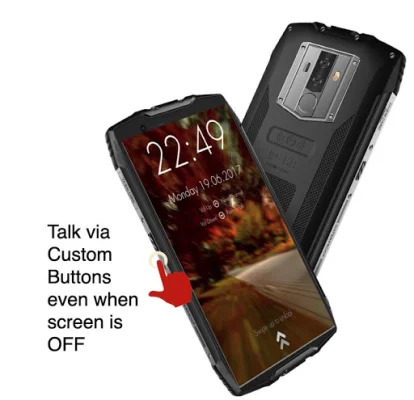
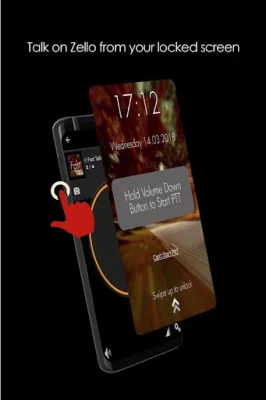
This app is designed to make it easier for users to use Push-To-Talk (PTT) on their smartphones. It requires accessibility permission to detect when a button is pressed, and users can choose between using their volume button or a custom button to activate PTT. This feature is compatible with popular PTT apps like Zello and VoicePing, and it allows users to use PTT without having to unlock their phone. Additionally, depending on the smartphone, this feature may even work when the screen is switched off.
The app also offers PRO features for users who want more customization options. These include the ability to use a custom button (such as an SOS or programmable button) for PTT, and the option to use any supported PTT app, not just Zello and VoicePing. There is also a "Next Channel" button for apps that support changing channels, and a feature that only activates PTT when the screen is on, which can be useful for users with sensitive PTT buttons.
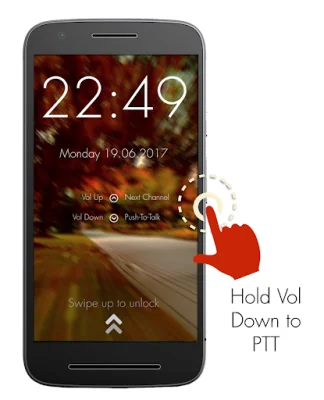
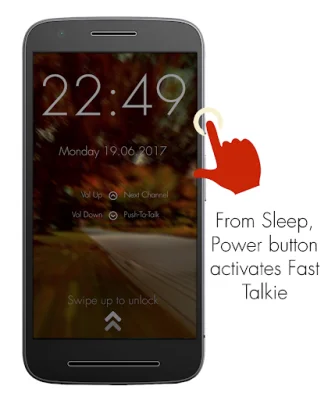
The app works by allowing users to quickly start or reply to PTT messages. To do so, they simply need to press the power button to wake up their phone, and then hold down the volume down or custom button to activate PTT in the previously selected Zello or VoicePing channel.
In order to use Fast Talkie, users must first install the app and enable accessibility permission. They will also need to choose a Zello contact or channel and hold down their selected PTT button. The app has been verified to work with certain phone models, such as the Samsung Xcover Pro and Blackview Series, even when the screen is off.
For more information or to contact the developers, users can visit the Fast Talkie website at https://www.fasttalkie.com/. The developers encourage users to be original and SEO-oriented when reaching out to them through the website.
Rate the App















Popular Apps









