

Zenith Bank Mobile App
2.16.24 by Zenith Bank (0 Reviews) August 29, 2024
Latest Version
2.16.24
August 29, 2024
Zenith Bank
Finance
Android
0
Free
com.zenithBank.eazymoney
Report a Problem
More About Zenith Bank Mobile App
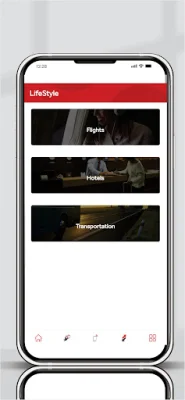
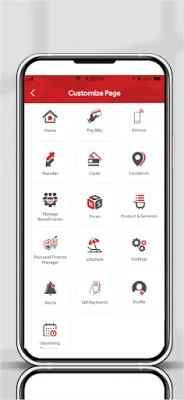
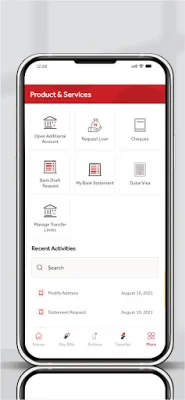
This application allows you to easily manage your finances by providing various features such as making card settlements, transferring funds, and making payments using QR codes. To use this app, you will need to register by downloading it and selecting one of the three registration options available. The first option is to register with a hardware token. This involves entering your account number and then clicking on the hardware token option. You will then need to enter the token from the device and the token PIN. After that, you will be prompted to create and confirm a password and a mobile PIN. Once you click on submit, the registration will be successful and you can log in using your account number and password. The second option is to register with a card. Similar to the first option, you will need to enter your account number and then select the card option. After entering the last six digits of your card and the card PIN, you will need to create and confirm a password and a mobile PIN. Once you click on submit, the registration will be successful and you can log in using your account number and password. The third option is to register at a branch. This is a one-time registration process and you can add up to three devices. To add a new device, simply log in with your account number and password and the system will prompt you for device registration. You can authorize with either a token or card details. Once registered, you can access various features of the app such as viewing all your accounts, checking your account balance and history, and searching for specific transactions. You can also make transfers to your own account, other Zenith accounts, other banks, and even make foreign transfers. The app also allows you to purchase data bundles, recharge airtime, and pay bills to Zenith billers and Quickteller merchants. You can also schedule payments for transfers, airtime, and bills. The app also has features for managing your cards, cheques, and travel and leisure services. You can also access bank services such as requesting a cheque book, stopping a cheque, and verifying cheque status. The app also allows you to customize your settings, manage beneficiaries, and view your bank statement. Lastly, the app has a feature called "Zenith Near Me" which helps you locate the nearest Zenith bank branch or ATM. You can also sign out of the app when you are done using it. Overall, this app provides a convenient and efficient way to manage your finances on the go.
Rate the App













Popular Apps









