BLE Finder: Bluetooth Scanner
1.0.8 by diamond-dave (0 Reviews) July 10, 2026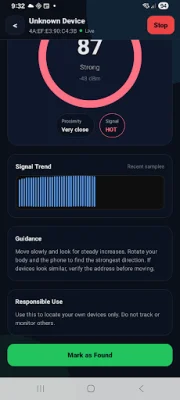
Latest Version
1.0.8
July 10, 2026
diamond-dave
Tools
Android
0
Free
com.blefinder
Report a Problem
More About BLE Finder: Bluetooth Scanner
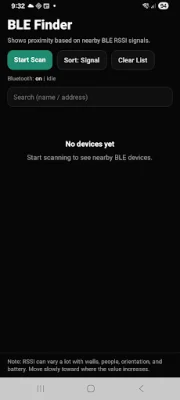
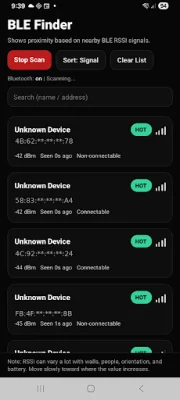
This application is designed to help users locate nearby Bluetooth Low Energy (BLE) devices. It has several key features that make it easy to find and sort through devices in real-time. One of the main features is the live scan, which allows users to search for nearby BLE devices and sort them based on their signal strength. This makes it easier to identify which devices are closest and which ones are further away.
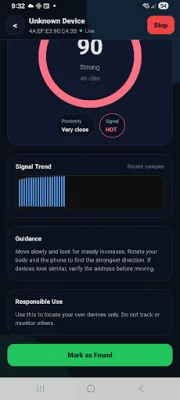
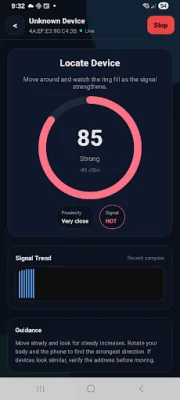
The app also has a signal-based status feature, which categorizes devices as Hot, Warm, or Cold based on their signal strength. This provides users with a quick and easy way to determine which direction they should move in to get closer to the device they are looking for. Additionally, the Finder mode includes a signal gauge and trend graph to guide users in their movement towards the device.
For supported devices, the app also offers optional vibration feedback when the signal is strong. This can be helpful for users who may not be able to constantly check their phone for signal strength. The app also automatically stops scanning when it goes into the background, helping to conserve battery life.
The app is simple to use, with just three steps to follow. First, users tap the Scan button to discover nearby devices. Then, they can select a device from the list and begin moving towards it. The app recommends moving slowly and following the direction where the signal consistently increases for the best results.
It's important to note that the app uses RSSI (Received Signal Strength Indicator) to measure signal strength, which is not an exact distance measurement. Factors such as walls, people, orientation, and device battery level can affect the signal strength and accuracy. The app also reminds users to only use it to locate their own devices and not to track or monitor others.
In terms of permissions, the app requires the Nearby devices (Bluetooth) permission for scanning and showing device information on Android 12 and above. For Android 11 and below, the app may also require Location permission for BLE scanning, although it does not collect or store location data. The app also does not require users to create an account and does not store or transmit scan results, ensuring privacy for its users.
Rate the App














Popular Apps









