

CPU-Kit: Device Info & Monitor
1.1.5 by AI Builder Inc (0 Reviews) July 09, 2026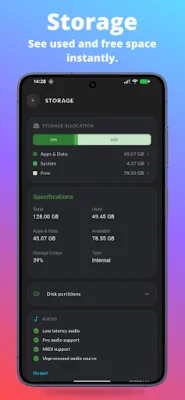
Latest Version
1.1.5
July 09, 2026
AI Builder Inc
Tools
Android
0
Free
com.aibuilderinc.devicespecs
Report a Problem
More About CPU-Kit: Device Info & Monitor
CPU-Kit is a lightweight application that provides users with a variety of useful features to help them better understand and monitor their Android devices. It is designed for moments when your phone may be experiencing issues such as slow performance, overheating, or battery drain, or when you want to check the device before buying, selling, or repairing it.
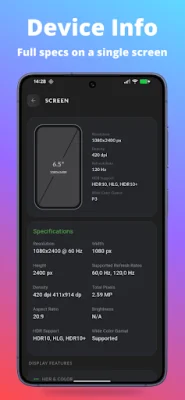
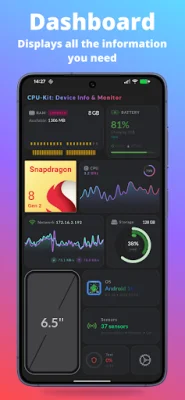
The app offers a comprehensive overview of your device's information, including model, manufacturer, Android version, security patch, kernel, build number, and root status. It also displays system information and hardware specifications, making it a convenient one-stop-shop for all your device details.
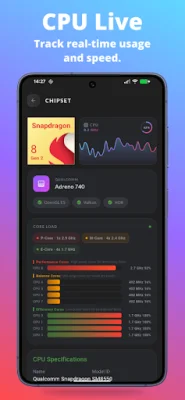
CPU-Kit also includes a live CPU monitor, allowing you to see how your processor is performing in real-time. This feature shows the chipset name, CPU architecture, number of cores, clock speed, and per-core frequency. It also provides information on the GPU renderer and graphics details.
In addition to CPU monitoring, the app also offers insights into your device's memory and RAM usage. This includes total RAM, used memory, free memory, storage partitions, and details on internal storage and SD card. CPU-Kit does not claim to boost RAM magically, but rather helps users understand their device's memory usage to make informed decisions when troubleshooting performance issues.
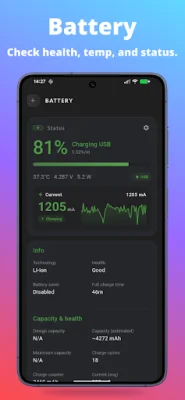
The app also includes a battery info feature, which tracks important details such as battery health, temperature, voltage, charging status, and capacity information. This can be useful for monitoring battery performance and identifying any potential issues.
CPU-Kit also offers hardware tests, allowing users to quickly check their device's components before repairing, selling, or buying a phone. This includes tests for the screen, multi-touch, speaker, microphone, headset, Wi-Fi, Bluetooth, GPS, NFC, fingerprint, proximity sensor, vibration, flashlight, and volume buttons.
Additionally, the app provides real-time data from your phone's sensors and connection, including accelerometer, gyroscope, light sensor, compass, Wi-Fi, mobile network details, and live upload and download speed. Users can also export device info and hardware specs to PDF or CSV, making it easy to share with buyers, repair shops, or support teams.
Some of the reasons to choose CPU-Kit include its lightweight app size, offline functionality, clean and customizable themes, minimal permissions, and user-friendly interface suitable for both regular and tech-savvy users. With CPU-Kit, you no longer have to guess what may be causing issues with your Android phone. It provides a clear and detailed look inside your device, helping you make informed decisions and troubleshoot any problems effectively.
Rate the App















Popular Apps









