

EX Kernel Manager
6.04 by flar2 (0 Reviews) July 16, 2026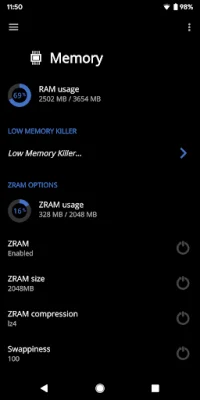
Latest Version
6.04
July 16, 2026
flar2
Tools
Android
0
$2.49
flar2.exkernelmanager
Report a Problem
More About EX Kernel Manager
This app is designed for users with rooted devices and offers a variety of advanced features for customization and optimization. It is compatible with all devices and kernels, and does not require ElementalX. However, some features such as wake gestures and color and sound control may require a compatible custom kernel.
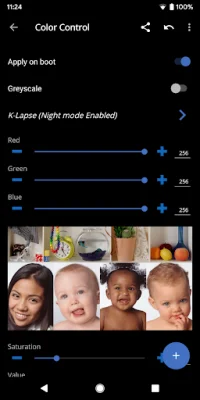
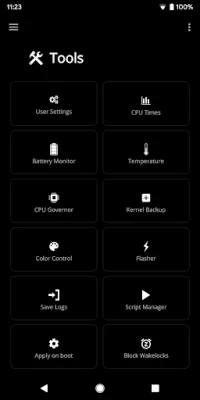
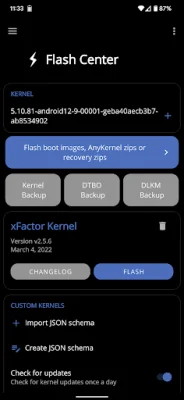
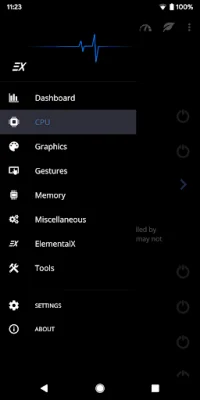
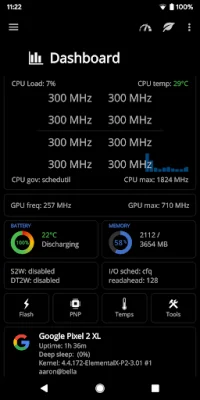
The Dashboard serves as the homepage within the app and provides real-time information on CPU and GPU frequencies, temperatures, memory usage, battery level and temperature, governors, and i/o settings. The Battery Monitor feature accurately measures battery life and provides statistics for both screen on and screen off usage. The Script Manager allows for easy creation, sharing, editing, execution, and testing of shell scripts. The Flash and Backup feature allows for saving and restoring of kernel and recovery backups, as well as flashing of boot.img, recovery zip, Magisk module, or AnyKernel zip. The CPU Settings feature allows for the creation and loading of CPU governor profiles for maximum battery life, while the Graphics Settings feature allows for customization of GPU settings. The Advanced Color Control feature allows for RGB controls, saturation, value, contrast, hue, and K-Lapse, and the Wake Gestures feature offers options such as sweep2wake and doubletap2wake. The Custom User Settings feature allows for the addition of any desired kernel setting, and the Memory Settings feature allows for adjustment of zRAM, KSM, lowmemorykiller, and virtual memory settings. The Sound Control feature allows for adjustment of speaker, headphone, and mic gain. The app also offers many other settings such as i/o scheduler, readahead kb, fsync, USB fastcharge, and more.
One of the main features of this app is the ability to easily customize and optimize the device's kernel. The app supports ElementalX custom kernel for a variety of devices including Samsung Galaxy, Google Pixel, Nexus, OnePlus, Essential, HTC, Moto, and Xiaomi. Users can also import and export their custom settings and share them with others. The app also offers the option to update or install ElementalX kernel on supported devices.
In summary, this app is designed for users with rooted devices and offers a wide range of advanced features for customization and optimization. It supports all devices and kernels, and some features may require a compatible custom kernel. The app's Dashboard provides real-time information on various device settings, and the Battery Monitor feature accurately measures battery life. Other features include Script Manager, Flash and Backup, CPU and Graphics Settings, Advanced Color Control, Wake Gestures, Custom User Settings, Memory Settings, Sound Control, and more. The app also supports ElementalX custom kernel for various devices and allows for easy import and export of custom settings.
Rate the App















Popular Apps









