
PCMark for Android Benchmark
3.0.4061 by UL Benchmarks (0 Reviews) May 23, 2026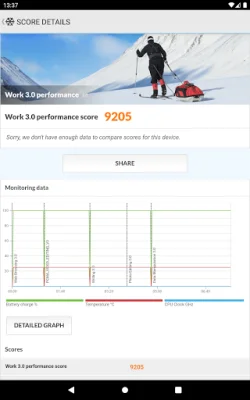
Latest Version
3.0.4061
May 23, 2026
UL Benchmarks
Tools
Android
0
Free
com.futuremark.pcmark.android.benchmark
Report a Problem
More About PCMark for Android Benchmark
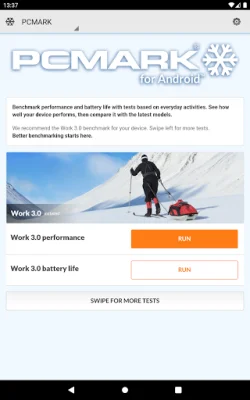
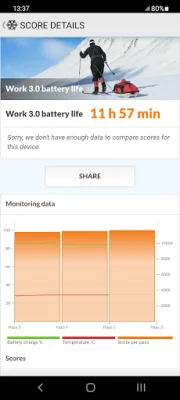
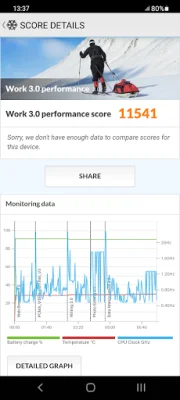
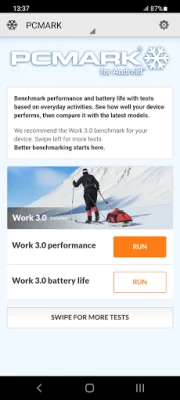
The Work 3.0 benchmark app allows users to test the performance and battery life of their device by simulating common productivity tasks such as web browsing, video editing, document and data work, and photo editing. This allows users to see how their device handles these tasks and compare it to other devices. The app uses real applications to provide accurate results.
The Storage 2.0 benchmark focuses on testing the speed of a device's internal and external storage, as well as database operations. This is important as slow storage speed can cause lag and stutters in everyday use. The app provides detailed results for each part of the test and an overall score for comparison with other Android devices.
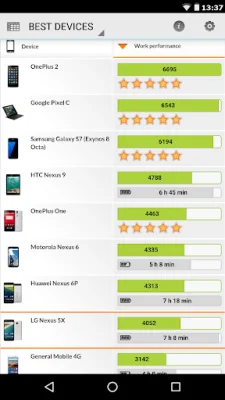
Users can also compare the performance, popularity, and battery life of the latest smartphones and tablets with the Best Devices list. This allows for a side-by-side comparison with their own device or a search for a specific model, brand, CPU, GPU, or SoC. The scores can also be filtered by Android version number to see how OS updates affect rankings.
The app has received praise from experts in the industry for its comprehensive testing approach. It tests every aspect of a mobile device, unlike microbenchmarks that may miss important factors that affect performance. It also provides a reliable way to measure battery life by simulating common tasks instead of using purely synthetic loops.
Users have the option to choose which benchmarks they want to install and can add or remove tests without losing their saved scores. The minimum requirements for the app are Android 5.0 or later, 1 GB of memory, and OpenGL ES 2.0 compatibility. It is important to note that this app is for non-commercial use only and business users should contact [email protected] for licensing. Members of the press can contact [email protected] for more information.
Rate the App















Popular Apps









