

Vertex: Retro Game Emulator
by EgAlpha (0 Reviews) May 25, 2026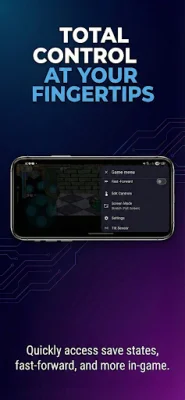

Latest Version
May 25, 2026
EgAlpha
Tools
Android
0
Free
com.vertexemu.app
Report a Problem
More About Vertex: Retro Game Emulator
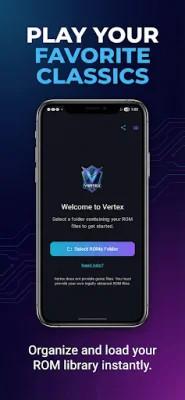
The app is designed to provide a stable and reliable way to play games on Android devices. It is compatible with a wide range of devices, from basic phones to high-end models. The app has several core features that make it stand out from other emulators. These include optimized performance for smooth gameplay and the ability to run on a variety of devices.
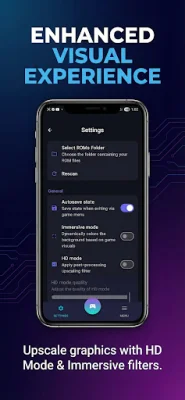
One of the key features of the app is its graphics options. It allows for resolution upscaling, making games look better on modern screens. Users can also choose from visual filters, such as CRT effects and scanlines, to enhance the gaming experience. The app also has an immersive display mode with adaptive background colors, making the game feel more immersive.
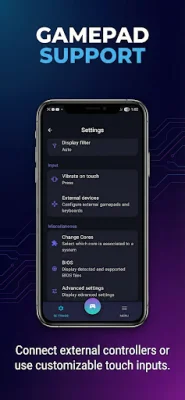
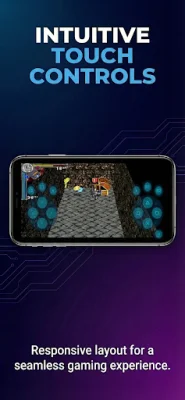
The app offers customizable on-screen touch controls, making it easy to play games without the need for external controllers. However, for those who prefer using controllers, the app also supports external controllers, including Bluetooth and USB gamepads and keyboards.
For convenience, the app has gameplay tools such as save states, which allow users to save and load their progress at any time. It also has a fast forward option for skipping repetitive sections of a game. Additionally, the app automatically scans and organizes game files, making it easier for users to find and play their games.
The app supports various file formats, including .bin, .cue, .iso, .img, .pbp, and .z. However, it does not come with any games, ROMs, or BIOS files. Users must provide their own legally obtained game files. The app is intended for playing backup copies of games that users already own. It is not affiliated with any console manufacturer or game publisher, and all trademarks belong to their respective owners. The app encourages users to be original and SEO-oriented when using it.
Rate the App













Popular Apps









