

Who is on my WiFi - WiFi Scan
by Yug Techlab Team (0 Reviews) July 11, 2026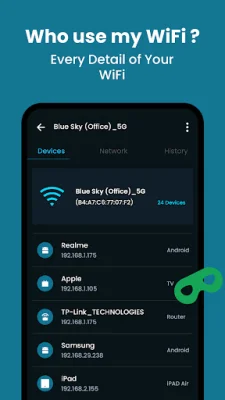
Latest Version
July 11, 2026
Yug Techlab Team
Tools
Android
0
Free
com.yug.wifi.scanner
Report a Problem
More About Who is on my WiFi - WiFi Scan
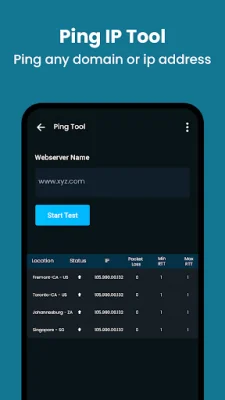
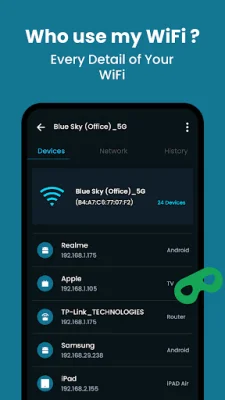
The WiFi Analyzer and WiFi Scanner app is a useful tool for discovering all the devices connected to your WiFi network. It provides accurate information about each device, including its IP address, MAC address, device name, model, vendor, and manufacturer. Additionally, the app can detect if your WiFi network is insecure, which is especially important for free or public WiFi networks that are often not secure enough.
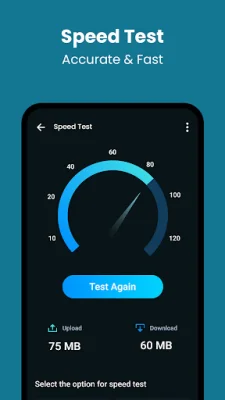
The app also includes an Internet Speed Test feature, which displays your current internet speed in real-time. This can be helpful for monitoring your network speed and identifying any issues with your connection. The app also has a small and fast network tool that shows your downloading and uploading speed.
Another useful feature of the app is the Daily Data Usage tracker, which allows you to monitor your 4G/3G/2G data or WiFi usage. This can help you avoid overage charges and bill shock by keeping track of your data usage on both mobile and WiFi networks.
The WiFi Scanner app also offers WiFi Hotspot and Net Share capabilities, allowing you to share your mobile data with other devices. This feature is especially useful for creating hotspots for Android devices using 2G/3G/4G/5G networks. You can easily share your mobile data or app hotspot with friends and family using this feature.
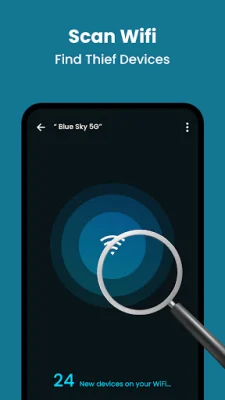
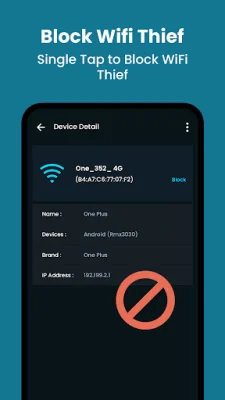
In addition to its practical features, the WiFi Scanner app also helps protect your WiFi security. It can detect unauthorized devices using your WiFi network and provide information about who is using your WiFi without your permission. This can be helpful in identifying and preventing potential security breaches.
The app is user-friendly and easy to use. With just a few taps, you can scan your WiFi network and see how many devices are connected to your WiFi router. It is a useful tool for both network scanning and WiFi scanning, making it a valuable addition to your device. So, if you want to know who is using your WiFi, simply start the app and let it do the work for you!
Rate the App















Popular Apps









