

WiFi scanner & analyzer
by Anza Technologies (0 Reviews) July 13, 2026
Latest Version
July 13, 2026
Anza Technologies
Tools
Android
0
Free
com.anzatech.wifianalyzer
Report a Problem
More About WiFi scanner & analyzer
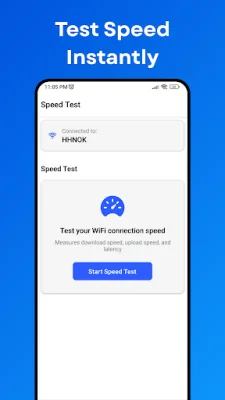
The Internet Speed Test & Network Tools app is a comprehensive and powerful tool for testing and monitoring your internet connection. It offers accurate download and upload speed tests, as well as ping and jitter measurements, to ensure that you are getting the speed you pay for. In addition, the app includes essential network utilities such as ping and traceroute to help diagnose any connectivity issues you may be experiencing. Whether you need fast downloads or low latency for streaming and gaming, this app has the tools to help you optimize your internet speed.
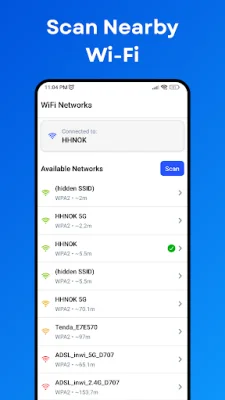
One of the standout features of this app is its ability to provide comprehensive network information. It allows you to dive deeper into your Wi-Fi environment by identifying access point vendors, filtering scans by band or strength, and even uncovering hidden networks. You can also analyze channel overlaps to optimize the placement of your router. The app also offers the option to export or copy network details for easy sharing. With its "Networks" view, you can see a list of all nearby access points by signal level and security, and charts and heatmaps make it easy to compare performance.
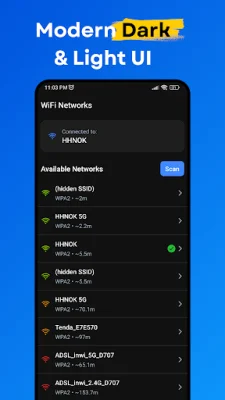
The app boasts a modern and user-friendly interface, with both light and dark themes to choose from. You can switch between themes at any time or match your system settings. The clean layout makes it easy to understand complex network data, and the organized tabs and smooth navigation ensure a great user experience for both beginners and experts.
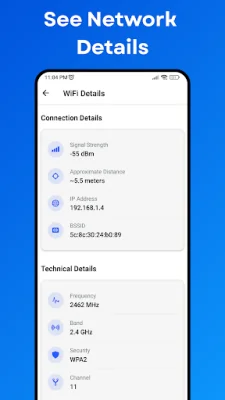
In addition to testing and monitoring your internet speed, this app also offers tools to help you optimize your Wi-Fi network. It can scan all nearby Wi-Fi networks and display detailed information such as SSID, channel, band, security, and signal strength. It also provides detailed information for your connected Wi-Fi, including IP address, gateway, DNS, BSSID, MAC, frequency, channel, and signal. With this app, you can also perform internet speed tests and view graphical charts for signal strength, channel usage, and network throughput. It even has advanced filters for band, signal level, and SSID.
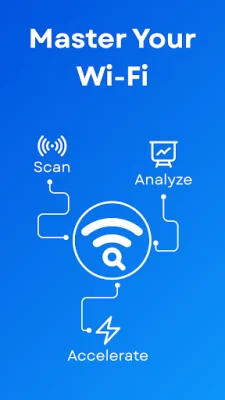
Overall, the Internet Speed Test & Network Tools app is a must-have for anyone looking to optimize their internet speed and Wi-Fi network. With its powerful scanning and analysis features, it provides complete insight into your wireless world. So why wait? Download the app now and take control of your internet speed and network performance.
Rate the App















Popular Apps









