

WiMouse– Remote Mouse Keyboard
by Vikramshila Softwares (0 Reviews) May 23, 2026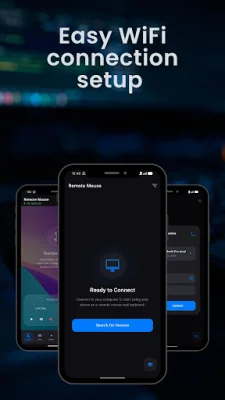
Latest Version
May 23, 2026
Vikramshila Softwares
Tools
Android
0
Free
com.vikramshilasoftwares.remote_mouse
Report a Problem
More About WiMouse– Remote Mouse Keyboard
If you want to control your computer from your phone, WiMouse is the perfect solution. With just a few simple steps, you can connect your phone and computer to the same WiFi network and start controlling your computer in seconds. This is made possible by installing the free WiMouse Desktop Client, which is available on the Microsoft Store for Windows and the Mac App Store for macOS.
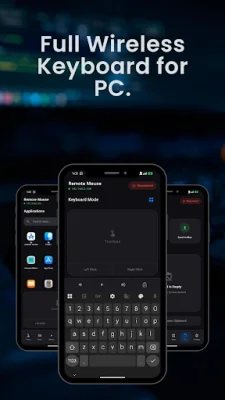
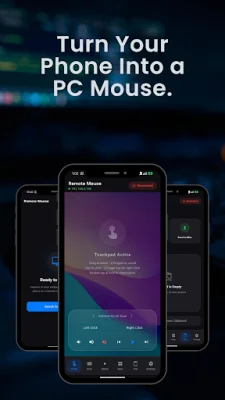
Once connected, your phone screen becomes a multi-touch trackpad, allowing you to move your cursor, click, scroll, and use gestures, just like a real touchpad. This makes it a great replacement for a traditional mouse for both Windows and Mac users. Additionally, you can use your phone as a wireless keyboard, allowing you to type on your phone and have it instantly appear on your PC or Mac. This is especially useful when your keyboard is out of reach or when you're presenting from across the room.
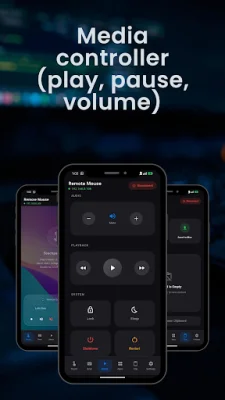
WiMouse also functions as a presentation remote, allowing you to wirelessly navigate through PowerPoint and Keynote decks. With reliable presentation clicker features such as forward, back, and laser pointer gestures, you can easily control your presentations from your phone. It also serves as a media and volume controller, allowing you to play, pause, skip tracks, and adjust volume without having to touch your computer. This is perfect for controlling music, videos, and streaming from a distance.
One of the key features of WiMouse is its speed, reliability, and lightweight design. With ultra-low latency, you can expect smooth and responsive control of your computer. It also has minimal battery drain on your phone and maintains a stable WiFi connection with auto device discovery. The interface is clean and simple, without any clutter, making it easy to use.
Setting up WiMouse is a breeze, with just three simple steps. First, install the WiMouse Desktop Client on your Windows PC or Mac, which is available for free on the Microsoft Store or Mac App Store. Then, connect both devices to the same WiFi network. Finally, open the WiMouse app on your phone and start controlling your computer.
WiMouse is compatible with Windows 10 and 11, as well as macOS devices such as MacBook Pro, MacBook Air, iMac, and Mac mini. It is a convenient and efficient tool for anyone looking to control their computer from their phone, and its SEO-oriented approach makes it stand out from other similar applications.
Rate the App














Popular Apps









