
메리츠화재 영업지원 모바일
8.1 by 메리츠화재해상보험주식회사 (0 Reviews) August 13, 2024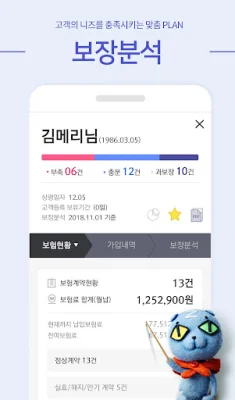
Latest Version
8.1
August 13, 2024
메리츠화재해상보험주식회사
Finance
Android
0
Free
kr.co.meritzfire_sag
Report a Problem
More About 메리츠화재 영업지원 모바일
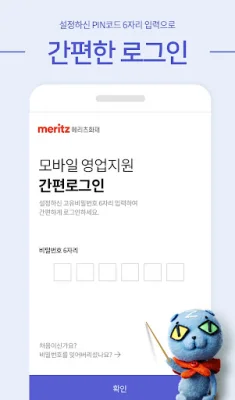
This application is designed for the sales team of Meritz Fire & Marine Insurance. It is an internal application, so access is restricted to those who are not involved in the relevant business.
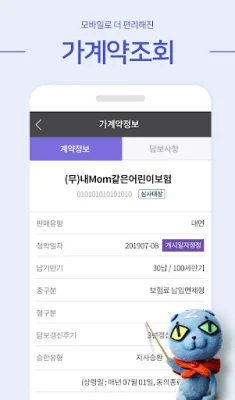
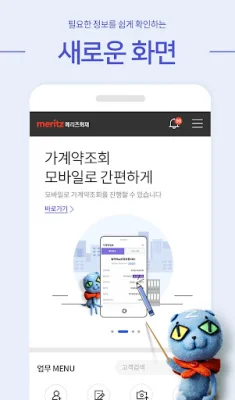
The main functions of this application for the sales team include customer management, coverage analysis, subscription management, contract management, payment management, compensation inquiry, and other services.
In accordance with the Information and Communication Network Act, Meritz Fire & Marine Insurance informs users of the necessary items for using the service and requests access permissions. If you do not agree, you may experience limitations in using the app.
The required access permissions include phone permission for the call function, storage permission for file attachment and viewing, and camera permission for taking photos when attaching files.
Please note that the app will not function properly if it is tampered with or used on a rooted smartphone.
This app is available for devices with Android 7.0 (Nougat) or higher and can be used on 3G/4G/5G networks.
If you encounter issues with installing or updating the app, there are a few steps you can take. If an error message appears, go to your phone's settings, select "Applications," and choose "Google Play Store." Then, click on the "Clear Data" button under the "Storage" menu. After restarting your phone, try installing the "Sales Support Mobile" app again.
If the app is stuck in a waiting state, go to the main screen of the Google Play Store, select your account, and go to the "Updates" tab under the "My apps & games" menu. Stop all pending updates and try installing the "Sales Support Mobile" app again.
If you keep receiving messages to update the app, go to your phone's settings, select "Applications," and choose "Google Play Store." Then, click on the "Clear Data" button under the "Storage" menu. After restarting your phone, try installing the "Sales Support Mobile" app again.
Rate the App















Popular Apps









