
4G Switcher - Force LTE Only
3.1.6 by Sladjan Savic (0 Reviews) May 19, 2026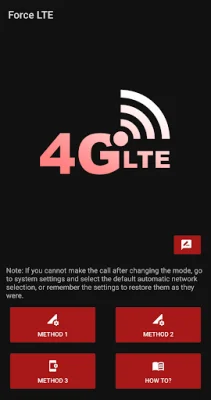
Latest Version
3.1.6
May 19, 2026
Sladjan Savic
Tools
Android
0
Free
com.argus.sava.networkmode
Report a Problem
More About 4G Switcher - Force LTE Only
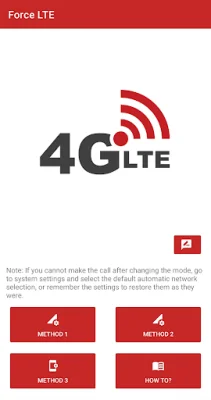
This application allows you to customize your mobile network mode to optimize your data usage and network connectivity. However, it is important to use this application with caution as it may cause issues with receiving calls while using the selected mode.
If your mobile operator does not support mobile calls via LTE, selecting the "Force 4G only" option may result in not being able to receive calls until you switch back to automatic network selection. It is important to carefully remember your previous settings before making any changes, so you can easily return to them later if needed. If you do happen to forget, you can always go to your system settings and select automatic network selection.
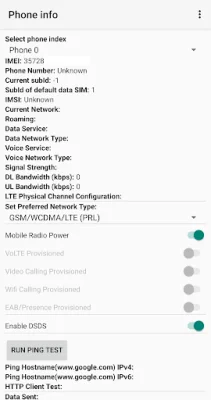
The application offers a variety of modes to choose from, including LTE/UMTS, LTE/UMTS/CDMA, LTE only, LTE/WCDMA, LTE/CDMA, CDMA only, WCDMA only, WCDMA preferred, and GSM only. Each mode is designed to cater to different network capabilities and preferences.
For those who want to optimize their data usage, selecting a mode that prioritizes LTE or WCDMA can help improve network speeds and connectivity. However, for those who need to make and receive calls frequently, it may be best to stick with the automatic network selection or choose a mode that supports both data and voice calls.
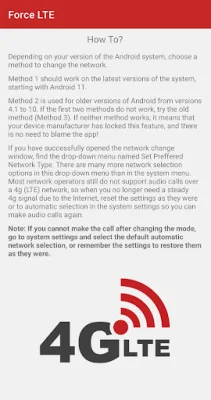
If you are unsure about how to use the application, you can refer to the detailed instructions provided within the app itself. It is important to use this application responsibly and make informed decisions when selecting your network mode to avoid any potential issues with call reception.
Rate the App











Popular Apps









