Accessibility Scanner
2.4.1.583132255 by Google LLC (0 Reviews) July 26, 2024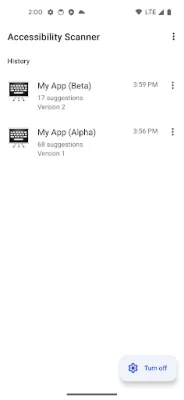
Latest Version
2.4.1.583132255
July 26, 2024
Google LLC
Tools
Android
0
Free
com.google.android.apps.accessibility.auditor
Report a Problem
More About Accessibility Scanner
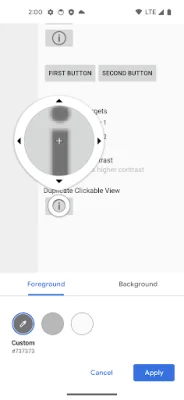
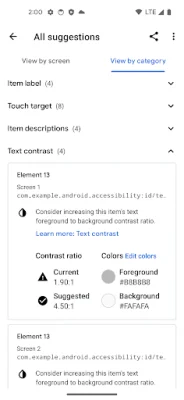
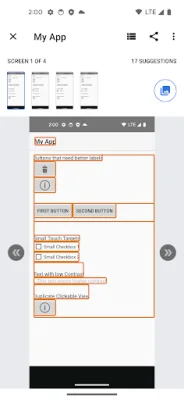
Improving the accessibility of your app is crucial in reaching a wider audience and providing a more inclusive experience, especially for users with disabilities. This can lead to increased user satisfaction, higher app ratings, and improved user retention. By using Accessibility Scanner, you can easily identify areas for improvement and share these suggestions with your development team to incorporate into your app.
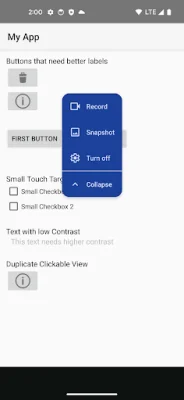
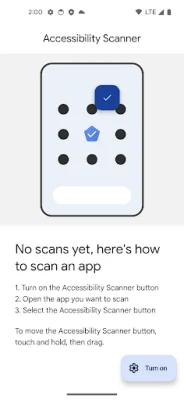
To get started with Accessibility Scanner, simply open the app and follow the prompts to turn on the service. Then, navigate to the app you want to scan and tap the floating button to begin the scanning process. You can choose to perform a single scan or record a user journey across multiple interfaces. For more detailed instructions, refer to the getting started guide available at g.co/android/accessibility-scanner-help.
If you want to learn more about how Scanner works, check out the short video available at g.co/android/accessibility-scanner-video. This will give you a better understanding of how the tool can help improve the accessibility of your app.
It's important to note that this app is an accessibility service and requires certain permissions to retrieve window content and observe your actions in order to perform its job. These permissions are only active while the service is in use and are necessary for the app to function properly.
In conclusion, Accessibility Scanner is a valuable tool for improving the accessibility of your app and creating a more inclusive experience for all users. By implementing the suggested improvements, you can reach a larger audience and potentially see an increase in user satisfaction and retention. So why wait? Start using Accessibility Scanner today and make your app accessible to everyone.
Rate the App















Popular Apps









