

ADB Shell - Debug Toolbox Pro
4.0.26 by ColorBox Technology (0 Reviews) March 27, 2026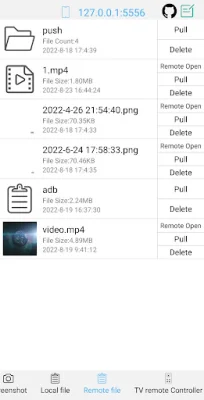
Latest Version
4.0.26
March 27, 2026
ColorBox Technology
Tools
Android
0
$4.49
com.github.superadb
Report a Problem
More About ADB Shell - Debug Toolbox Pro
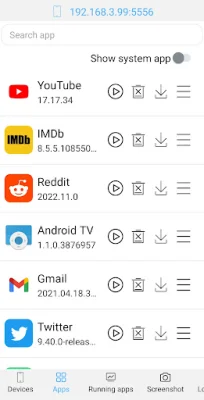
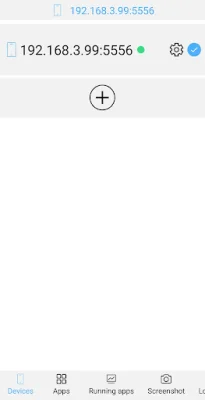
The Toolbox application is a versatile tool that offers a wide range of features to help manage and control your Android device. With this app, you can easily launch, uninstall, download, force stop, clear data, disable, and enable applications on your device. It also allows for device management, giving you the ability to view running applications, take screenshots, push and pull files, and install APKs. Additionally, you can use the app to open remote image, audio, and video files directly, delete remote files, and even use your device as a TV remote controller. The app also supports text input, system monitoring, and viewing system and prop information.
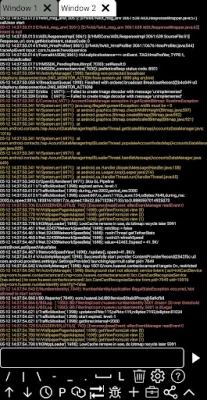
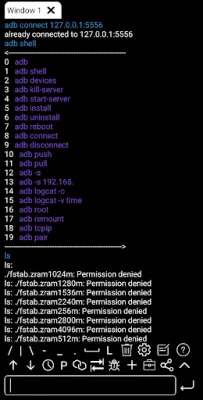
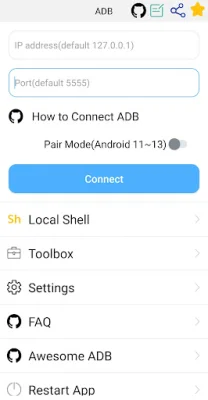
The Shell feature of the app is compatible with a wide range of Android versions, from 4.X to 13. It also offers a wireless pair mode for devices running Android 11 to 13, as well as wifi wireless adb and local shell adb support. The app also has features such as associative input, autosave output, and the ability to share output with friends. It also has a command history, fast copy command, multi-window support, and color text for a more user-friendly experience. The app can also run in the background and offers recommended commands and files, as well as prefab commands and logcat support.
To enable adb, you can follow the tutorial provided on the app's GitHub page. The app also welcomes discussions and feedback, which can be shared through their GitHub page or via email. The app's GitHub page also offers a list of other useful adb tools for users to explore. The app aims to be original and SEO-oriented, providing users with a comprehensive and efficient adb experience.
Rate the App















Popular Apps









