

AirDroid: File & Remote Access
4.3.7.1 by SAND STUDIO (0 Reviews) July 23, 2024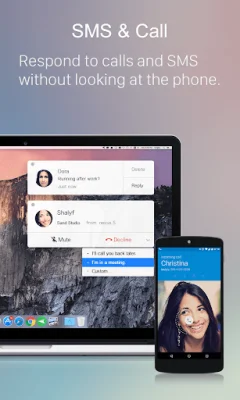
Latest Version
4.3.7.1
July 23, 2024
SAND STUDIO
Tools
Android
0
Free
com.sand.airdroid
Report a Problem
More About AirDroid: File & Remote Access
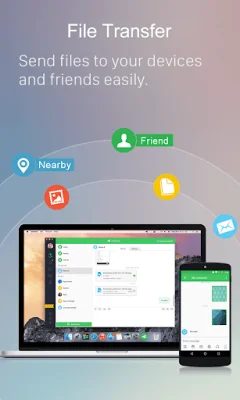
AirDroid is an application that allows you to transfer files at an incredibly fast speed of 20MB/s without any limitations. This feature is available for both local and remote connections, making it convenient for users to transfer files even when switching between Wi-Fi, 4G, or 5G networks. Additionally, the nearby feature allows you to send photos and videos directly to your friends without the need for an account or internet connection.
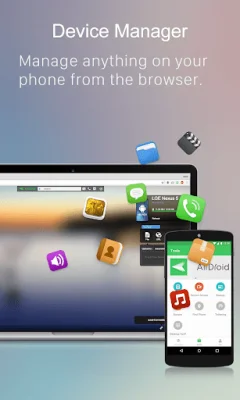
Aside from file transferring, AirDroid also offers an all-in-one file management system. Through the desktop or web client, users can easily manage photos, videos, music, apps, and storage on their devices. The application also has an automatic sync and upload feature for photos and videos, helping users save storage space on their devices and protect their privacy.
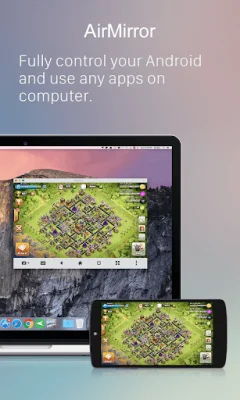
Another major feature of AirDroid is screen mirroring, which allows users to wirelessly mirror their Android devices to their PC. This is useful for sharing screens with students or partners, as well as streaming broadcasts for a more efficient sharing of games or pictures. The best part is that screen mirroring does not require the phone and computer to be on the same network, making it a practical solution for various scenarios.
AirDroid also offers remote control of Android devices without the need for rooting. Users can connect to the AirDroid PC client and have full control over their devices, such as playing games, opening apps, and checking phone status. This feature is easy to set up and runs smoothly, even if the device is on the other side of the globe. For remote control of an Android device from another Android device, users can download AirMirror.
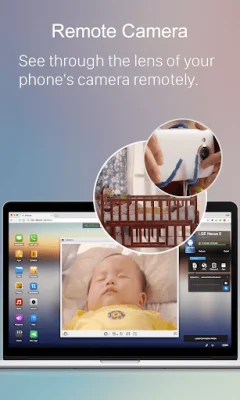
In addition to these features, AirDroid also offers remote monitoring through the use of unused Android phones. Users can use the remote camera feature to monitor their surroundings or listen to environmental sounds with One-Way Audio. This is useful for checking on newborns, pets, or safeguarding homes without the need for additional cameras.
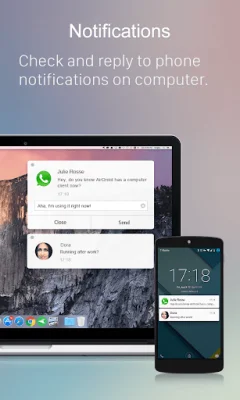
AirDroid also helps users focus on work by allowing them to manage their phone directly from their computer. This includes receiving and sending texts, connecting to headsets, and making calls directly from the computer. The notification feature also syncs app notifications from the phone to the computer, allowing users to reply directly from their desktop. This is especially useful for important messages that need to be attended to promptly.
Lastly, AirDroid offers a bulk import and call feature, allowing users to import phone numbers and make calls directly from the desktop client. This helps avoid the hassle of manually entering phone numbers on mobile phones and possible errors, ultimately improving efficiency. While an AirDroid account is recommended to access all features and services, users can still use the application for free under the same Wi-Fi network with limited features. However, for non-local networks, a premium account is recommended to enjoy unlimited remote data and unlock all functions and services.
Rate the App















Popular Apps









