

AirMirror: Remote control
by SAND STUDIO (0 Reviews) July 26, 2024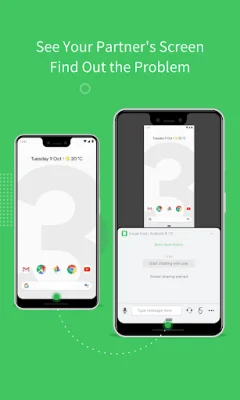
Latest Version
July 26, 2024
SAND STUDIO
Tools
Android
0
Free
com.sand.airmirror
Report a Problem
More About AirMirror: Remote control
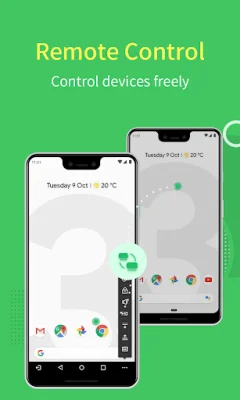
AirMirror is an application that allows you to control one Android phone with another phone. In order to use this feature, both phones must have AirDroid installed and be logged in with the same email account. This allows for seamless remote control of one device from another, no matter where the controlled device is located.
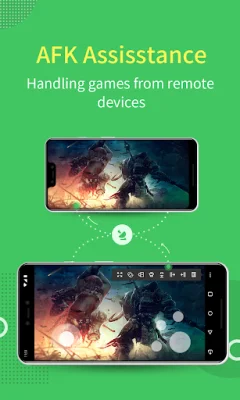
One of the main features of AirMirror is the ability to remotely control another phone or tablet. This means that you can perform any actions on the controlled device, regardless of its physical location. However, if the controlled device is not rooted, you will need to set up Non-Root settings through the AirDroid PC client beforehand.
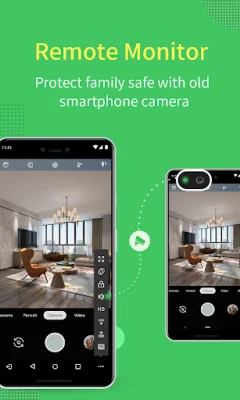
Another useful feature of AirMirror is the Remote Camera function. This allows you to access the view from either the front or rear camera of the controlled device. This can be particularly useful for monitoring the safety of your family by using the controlled device as a security camera.
With AirMirror, you can also mirror the screen of your device in real-time. This means that you can check your device's screen at any time, no matter where you are. If you prefer to control Android devices through your PC, you can use the AirDroid PC client.
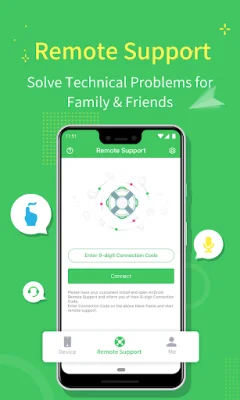
In addition to remote control and monitoring, AirMirror also offers a Remote Support feature. This allows you to easily assist friends or family with any issues they may be having on their mobile device. However, in order to use this feature, the other device must have AirDroid Remote Support installed.
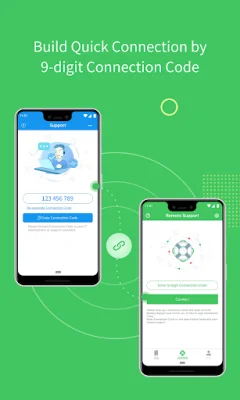
AirMirror also offers a quick and easy way to connect with others through a 9-digit Connection Code. This means that no account is required, and your friends or family can simply enter the code to connect with you. You can also share your screen with others in real-time, making it easier to troubleshoot and solve problems.
In addition to remote control and screen sharing, AirMirror also offers voice call capabilities. This allows for clear communication between devices, saving time and effort compared to texting. If a voice call is not possible, you can still communicate through text, pictures, and voice messages.
AirMirror aims to make your life easier and more convenient. If you encounter any issues while using the app, you can provide feedback to the developers at any time. Thank you for your support of AirMirror!
Rate the App















Popular Apps









