

Amaze File Manager
3.10 by Team Amaze (0 Reviews) July 26, 2024
Latest Version
3.10
July 26, 2024
Team Amaze
Tools
Android
0
Free
com.amaze.filemanager
Report a Problem
More About Amaze File Manager
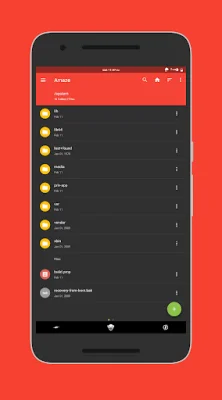
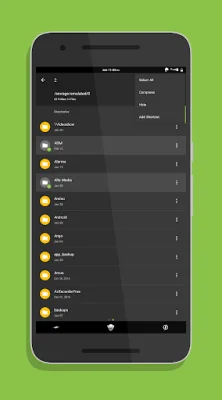
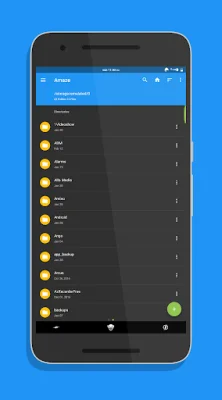
Amaze File Manager is an open source application that is designed to be lightweight and user-friendly. It follows the Material Design guidelines, making it visually appealing and easy to navigate. The app offers basic features such as cutting, copying, deleting, compressing, and extracting files, all of which are easily accessible. Users can also work on multiple tabs at the same time and utilize drag and drop gestures for a smoother experience.
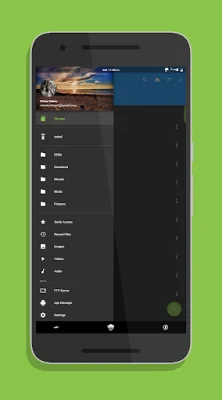
One of the standout features of Amaze File Manager is its support for multiple themes, each with its own set of cool icons. This allows users to customize the app to their liking. The navigation drawer also provides quick access to various functions, making it easy to navigate through the app.
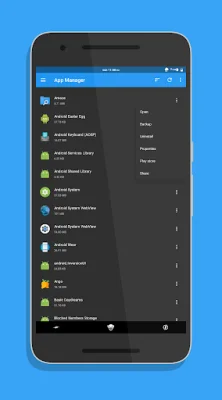
The App Manager feature allows users to open, backup, or directly uninstall any app. Additionally, the app supports FTP/FTPS servers and SMB/SFTP clients, making it convenient for users to access files from different sources. Users can also quickly access their history, bookmarks, or search for any file within the app.
For advanced users, Amaze File Manager offers a root explorer feature. This allows users to access and manage system files on their device. The app also offers AES encryption and decryption of files for added security, as well as support for cloud services (Jellybean v4.3+ / requires additional plug-in).
In addition to its file management capabilities, Amaze File Manager also includes inbuilt database, zip/rar, apk, and text readers. The app is also ad-free, providing a seamless user experience. Users can support the development of the app by purchasing the cloud plugin through the Play Store or making in-app donations.
The app is constantly being improved and developed, and users can join the Telegram group to discuss and provide feedback. The source code for Amaze File Manager is also available on GitHub for those interested in contributing to its development. The app has also gained recognition on XDA Developers, with a dedicated thread for discussions and updates. The team behind Amaze File Manager includes Arpit Khurana, Vishal Nehra, Emmanuel, and Raymond Lai.
Rate the App















Popular Apps









