

Amaze File Utilities
1.94 by Team Amaze (0 Reviews) July 26, 2024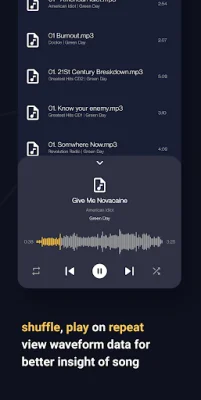
Latest Version
1.94
July 26, 2024
Team Amaze
Tools
Android
0
Free
com.amaze.fileutilities
Report a Problem
More About Amaze File Utilities
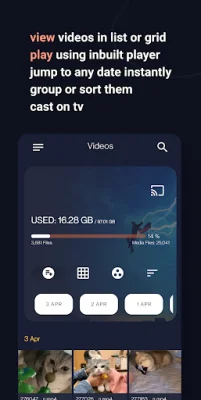
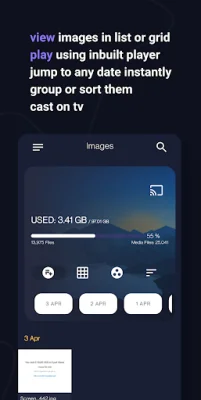
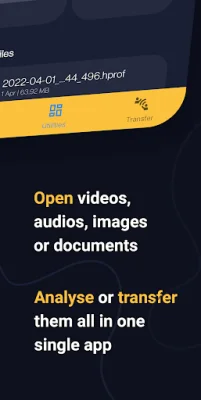
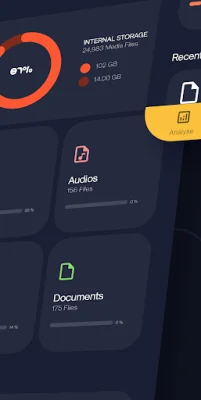
Amaze File Manager is a comprehensive application that helps you manage and optimize your device's storage. It offers various features such as analyzing storage for junk files, grouping similar images and media files, and organizing apps based on usage and size. It also includes a music player, video player, image viewer, document viewer, and a transfer tool. The storage analysis feature allows you to identify and delete junk files that are taking up unnecessary space on your device. It also helps you group similar images, memes, low-light images, blurred images, selfies, or group images for easier management. Additionally, it can group large or duplicate files in your storage to free up space. The app also offers a media file management feature where you can view, group, and sort your media files in a list or grid format. You can also delete, share, or go to the location of a specific file. The inbuilt player allows you to open and play media files, and you can even cast them on your TV. You can also search for any media file instantly and jump to a specific date. The music player in Amaze File Manager allows you to shuffle and play songs on repeat. You can also view waveform data for a better understanding of the song. Additionally, you can change the playback pitch or speed and add or remove songs from playlists. The video player offers various features such as playing videos with gestures to skip, manage volume and brightness, and viewing them in picture-in-picture mode. You can also play videos in the background, lock gestures or orientation, and search and download online subtitles within the player. It also allows you to change the playback aspect ratio, pitch, and speed. The image viewer feature allows you to view, share, or delete images. You can also edit images using the inbuilt image editor, which offers features like adding stickers, text, rotating, cropping, and drawing over images. You can also view the image histogram and other metadata. The document viewer supports various file formats such as pdf, epub, docx, xps, oxps, cbz, fb2, and mobi. You can search for text within the viewer and switch between dark or light mode in the pdf viewer. It also allows you to bookmark a page in your epub digital book. The transfer tool in Amaze File Manager enables you to transfer data between devices through wifi p2p. It offers high transfer speeds using android Wifi-direct, making it a convenient and efficient way to transfer files. If you encounter any issues while using the app, you can contact the developers through Telegram or the issue tracker on GitHub. The source code for the app is also available on GitHub for those interested in exploring it. Please note that the app has a trial period, after which you will need to subscribe or get a lifetime membership to continue using it.
Rate the App















Popular Apps









