

Android Macro - Auto Clicker
by Autoware Project (0 Reviews) November 03, 2025



Latest Version
November 03, 2025
Autoware Project
Tools
Android
0
Free
com.androidmacro
Report a Problem
More About Android Macro - Auto Clicker
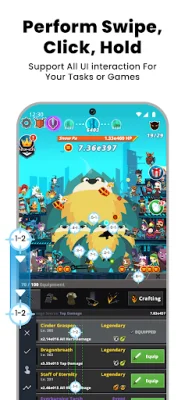
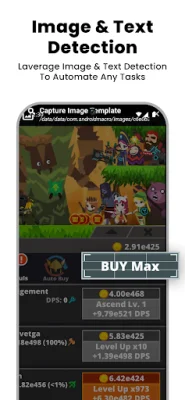
Android Macro is an application that allows users to automate routine tasks on their Android devices. It offers a variety of features such as touch and swipe controls, image and text recognition, and a backup macro feature. The app is designed to be both simple and flexible, making it easy for users to create and execute complex operations. One of the key features of Android Macro is its ability to perform touch and gesture controls. This means that users can set up macros to execute rapid clicks and swipes, making it easier to navigate through their device. The app also has a visual editor, which simplifies the process of creating macros. In order to use the touch and gesture control and image and text detection features, users must meet certain requirements based on their device. For devices running Android 5.1-7.0, users will need to have ROOT access, as well as media projection and overlay permissions. For devices running Android 7.1 and higher, users will need to have accessibility service, media projection, and overlay permissions. It is important to note that Android Macro uses the AccessibilityService API to perform various actions such as clicks, swipes, and navigation button presses. This API is necessary for the app to function properly. However, the app does not collect any personal information through this service. Users can choose to enable the Accessibility Service by clicking the Agree button and turning it on in their device's settings. In conclusion, Android Macro is a useful tool for automating tasks on Android devices. Its features and flexibility make it a convenient and efficient app for users looking to streamline their routine tasks. With its simple interface and powerful capabilities, Android Macro is a must-have for any Android user.
Rate the App














Popular Apps









