

App Lock
5.3.8 by AktivByte (0 Reviews) April 09, 2026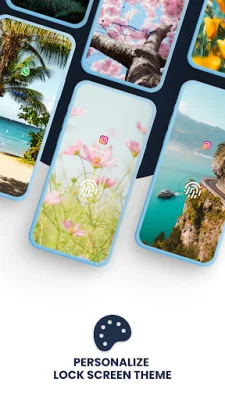
Latest Version
5.3.8
April 09, 2026
AktivByte
Tools
Android
0
Free
com.gamemalt.applocker.pro
Report a Problem
More About App Lock
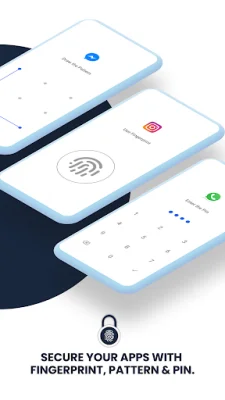
App Lock is a highly secure and customizable app locker for Android devices. It allows users to lock their apps with various options such as fingerprint, PIN, and pattern lock. This ensures that only authorized users have access to their private apps and notifications. The app also has advanced features like intruder selfie and email alerts, warning sounds, and multiple unlock profiles.
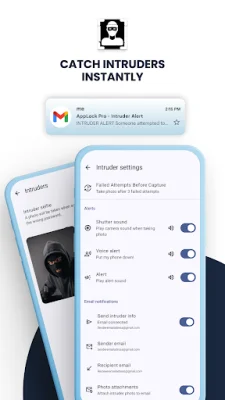
One of the unique features of App Lock is the ability to capture a selfie from the front camera when someone enters the wrong password. This helps catch intruders and provides evidence of unauthorized access. Users can also receive email alerts with the intruder's photo attached automatically. This adds an extra layer of security and helps users keep track of any suspicious activity.
App Lock also offers three types of warning sounds that can be played automatically after failed unlock attempts on locked apps. This feature is designed to scare off potential intruders and protect the user's privacy. Additionally, users can create multiple unlock profiles for different purposes, such as work, kids, and personal use. Each profile can have a unique PIN, pattern, or fingerprint, and can be assigned to specific locked apps.
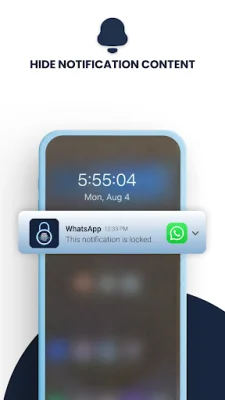
The app also has a schedule feature that allows users to turn off app lock at specific dates and times automatically. This is perfect for situations like work, bedtime, or kids' screen time. App Lock also replaces notifications from locked apps with a generic message, ensuring that no one can read the user's private messages without their password. Users can also customize their lock screen with a custom background image and choose from dark mode, light mode, or follow the system theme.
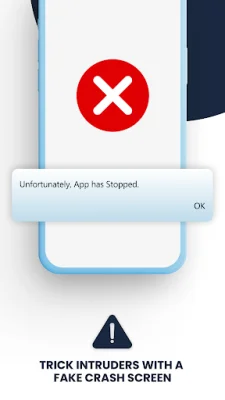
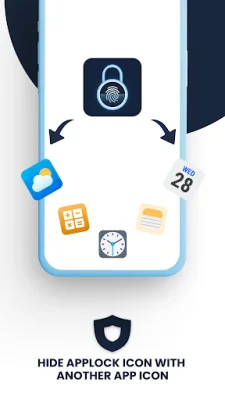
App Lock offers multiple lock options, including fingerprint, pattern, PIN, and biometric lock. This ensures that users can choose the most convenient and secure option for them. The app also has advanced features like a fake crash screen, changeable app lock icon, auto-lock for newly installed apps, and custom relock timeout. It also has uninstall protection and works even after device restarts.
The app requires certain permissions, such as accessibility service, draw over other apps, usage access, and device administrator (optional). These permissions are used for enhanced protection, displaying lock screens, detecting locked app launches, and preventing unauthorized uninstallation or force-stop of App Lock. Overall, App Lock is a reliable and comprehensive app locker that offers top-notch security and customization options for Android users.
Rate the App














Popular Apps









