

AppLock - Fingerprint
by SpSoft (0 Reviews) November 01, 2025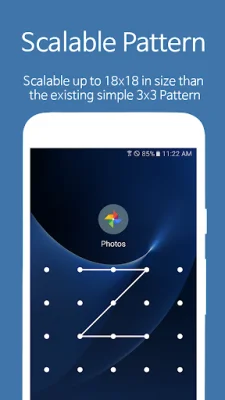
Latest Version
November 01, 2025
SpSoft
Tools
Android
0
Free
com.sp.protector.free
Report a Problem
More About AppLock - Fingerprint
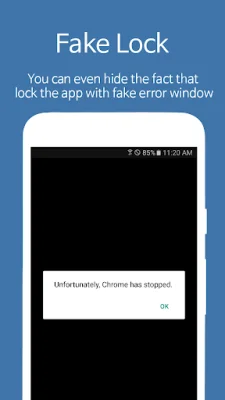
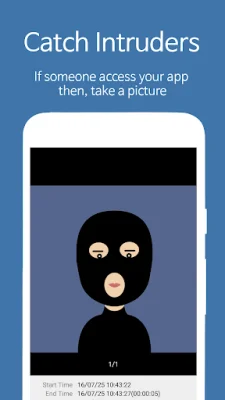
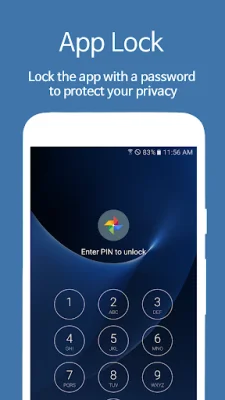
This application, called AppLock, allows users to lock various apps on their phone, such as Facebook, Instagram, TikTok, and the Gallery, in order to prevent them from being accessed by others. This can be useful for keeping these apps private from friends, parents, or anyone else who may try to snoop. In addition to simply locking the apps, AppLock also has features such as taking a picture of anyone who tries to access the locked apps and hiding the fact that the app is locked with a fake error window. It is considered to be the most advanced app of its kind and is available for download now.
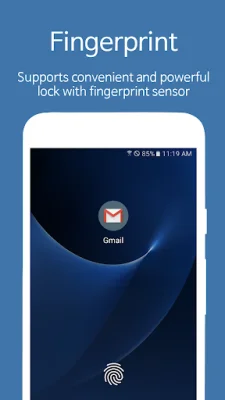
The main feature of AppLock is the ability to lock apps with a password, providing privacy and protection for apps such as SMS, Messenger, Whatsapp, Snapchat, and LINE. It also has a feature to catch intruders by taking a picture or video and sending it to the user's email. AppLock also supports fingerprint and face recognition for convenient and powerful locking, if the device supports it. It also has a fake lock feature to hide the fact that an app is locked, as well as a notification lock to block messages from locked apps in the top notification bar.
Other features of AppLock include the ability to prevent the screen from turning off when using certain apps, a smart lock feature that allows for specific times or auto-unlocking when connected to specific WiFi or Bluetooth, and the ability to set different passwords for each locked app. The pattern size for locking can also be scaled up to 18x18, larger than the standard 3x3 pattern. AppLock can also be used to lock the entire phone using its own lock screen instead of the system's lock screen.
AppLock has been verified by 50 million users and has a small app size of only 8MB, making it fast and lightweight. It also offers more features and options than other similar apps and supports 32 languages. Some other features include the ability to decorate the lock screen with a desired photo, the ability to reset a lost password, and the option to restrict unlock attempts. AppLock also has the ability to lock incoming calls, WiFi, and Bluetooth, and can automatically lock newly installed apps.
For those concerned about the app being uninstalled or forgotten passwords, AppLock has options to prevent uninstallation and to reset a forgotten password using an email or security QnA. It also has a widget and notification bar for easy locking and unlocking, and the option to hide the app's icon. AppLock also uses Device Administrator permission to prevent uninstallation and Accessibility service for users with disabilities to lock and unlock apps and reduce battery usage. The app's name has recently been changed from Smart App Protector. For more information, visit the website or social media pages.
Rate the App










Popular Apps









