

Arduino Bluetooth Controller
by SafiSoft (0 Reviews) April 12, 2026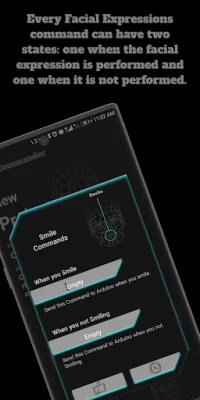
Latest Version
April 12, 2026
SafiSoft
Tools
Android
0
Free
safisoft.facecommander
Report a Problem
More About Arduino Bluetooth Controller
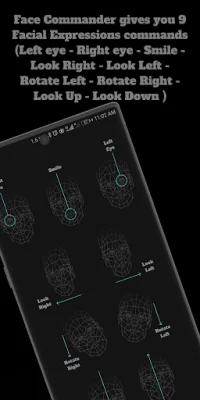
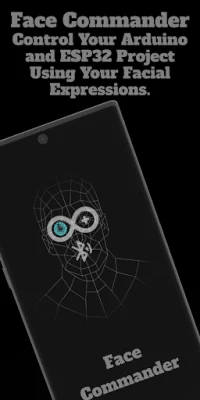
You can use the Face Commander Arduino and ESP32 Bluetooth Controller to send commands to your Arduino or ESP32 Bluetooth project. This app allows you to control your project by performing facial expressions such as opening and closing your eyes, smiling, looking left and right, and rotating your head. Each facial expression has two states: when it is performed and when it is not.
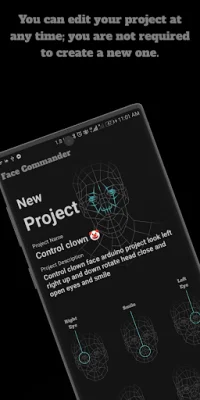
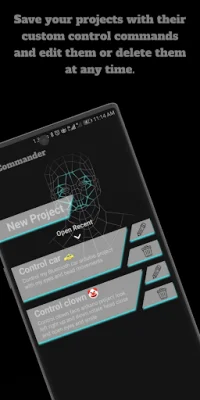
The Face Commander Arduino and ESP32 Bluetooth Controller also allows you to save an unlimited number of projects and edit or delete them at any time. It is compatible with all Arduino and ESP32 built-in Bluetooth chips, making it a versatile tool for controlling your projects.
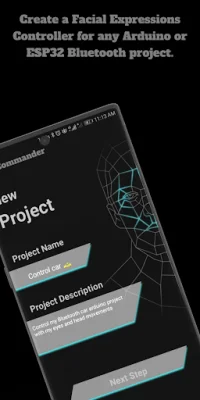
To use the Face Commander Arduino and ESP32 Bluetooth Controller, you first need to download and install it on your Android phone. Once installed, make sure to accept all of the app's user permissions to ensure proper functionality. Then, you can create a new project by selecting the "New Project" option and entering a name and description for it.
Next, you can modify the project commands to work with your Arduino Bluetooth project code. This includes selecting which commands you want to edit and entering the corresponding commands to be sent when a specific facial expression is performed or not performed. You can also leave any command empty if it is not needed for your project.
Once you have edited all of the commands, you can open the project and the app will search for your Arduino or ESP32 Bluetooth project. Make sure your phone's Bluetooth is turned on and the Bluetooth module connected to your Arduino is also on. Then, the app will use your phone's camera to capture your facial expressions and send them directly to your project. You can use either the front or back camera and make sure to have good lighting for accurate facial expression detection.
When you are finished using the Face Commander Bluetooth Controller, simply press the power button in the top left corner of the screen. If you have any suggestions for the app, you can contact the developer through the email provided in the Play Store Connect Developer info. Overall, this app is a useful tool for controlling your Arduino or ESP32 Bluetooth projects with simple facial expressions.
Rate the App












Popular Apps









