

TOTP Authenticator
2.0.9-googleplay by Sparrow Code (0 Reviews) April 12, 2026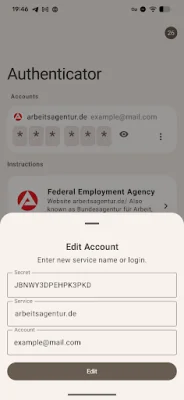
Latest Version
2.0.9-googleplay
April 12, 2026
Sparrow Code
Tools
Android
0
Free
io.sparrowcode.apps.authenticator
Report a Problem
More About TOTP Authenticator
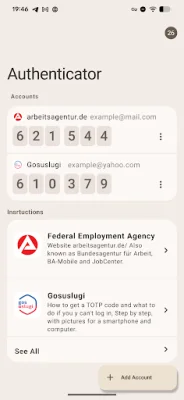
Signing in using TOTP (Time-based One-Time Password) is a simple and secure way to add an extra layer of protection to your account. To get started, navigate to the "Security" section of the application. This is where you can manage all of your account's security settings.
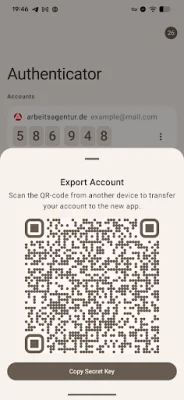
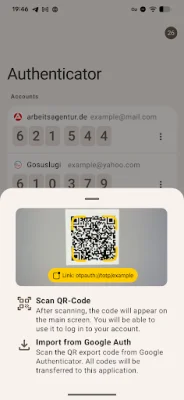
Once you're in the "Security" section, you'll need to enable TOTP login. This will generate a unique QR code or secret key that you will need to scan or copy into your Authenticator app. This app can be downloaded onto your smartphone and is used to generate the TOTP code that you will need to enter when logging in.
After scanning the QR code or copying the secret key into your Authenticator, you're all set! Your 2FA (two-factor authentication) is now enabled. This means that every time you log in, you will need to enter a TOTP code from your Authenticator app in addition to your regular login credentials. This added layer of security helps to prevent unauthorized access to your account.
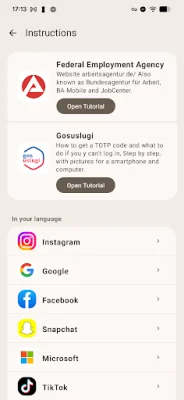
But don't worry, if you're new to TOTP or need some guidance, the app has got you covered. With over 100 step-by-step tutorials, complete with screenshots, you can easily set up TOTP for various websites. This makes it easy for even the most inexperienced users to take advantage of this extra layer of security.
So why wait? Take the necessary steps to protect your account and enable TOTP login today. With just a few simple steps, you can have peace of mind knowing that your account is secure and protected from potential threats. Don't forget to regularly update your TOTP code in your Authenticator app to ensure maximum security. Happy logging in!
Rate the App














Popular Apps









