

Armed Forces Bank
26.2.0 by Dickinson Financial Corporation (0 Reviews) April 23, 2026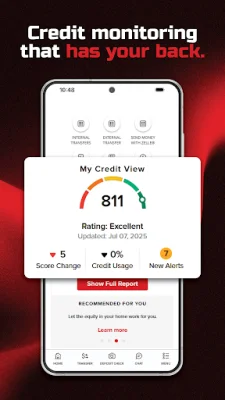
Latest Version
26.2.0
April 23, 2026
Dickinson Financial Corporation
Finance
Android
0
Free
com.dfckc.afb
Report a Problem
More About Armed Forces Bank
Armed Forces Bank offers a convenient and secure mobile banking application for its customers. With this app, users can easily make check deposits using their phone and keep track of their deposited checks. The app also features improved login options, including Touch ID and facial recognition, as well as additional passcode security and password reset capabilities.
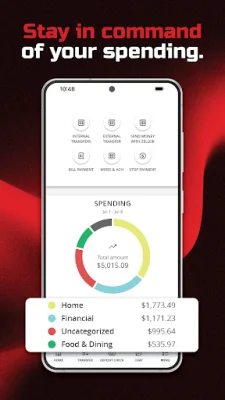
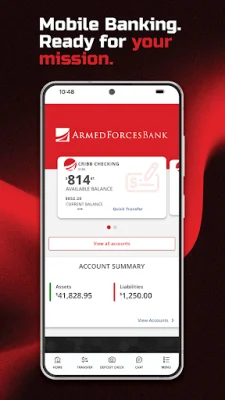
Users can easily monitor their account with the app, viewing their account balances and transaction history. The app also offers new ways to pay, allowing for fast and easy payments and transfers between internal accounts or to other bank accounts owned by the user. Additionally, users can send and receive money from trusted individuals.
The app also offers mobile banking alerts, providing users with notifications when their account balance goes above or below a pre-selected amount, when specific transaction activity occurs, or when there are changes to their account password or lock status. Users can also view their alert history for the past 90 days.
In addition to these features, the app also allows users to pay bills, send wires, make ACH transfers, and make loan payments. Users can also securely message a bank associate directly within the app to discuss their account.
The app also includes a feature to help users find the nearest Armed Forces Bank branch locations and ATMs. And with a commitment to security and privacy, the bank uses state-of-the-art technology to protect unauthorized access to user accounts, encrypts wireless communication, and does not store personal information on the phone.
Overall, Armed Forces Bank's mobile banking app offers a convenient, secure, and user-friendly way for customers to manage their accounts and make transactions on the go. And for any questions or concerns, users can easily contact the bank's customer service line.
Rate the App















Popular Apps









