

Audio Profiles Volume Control
17.0.0 by FitHero, LLC (0 Reviews) May 01, 2026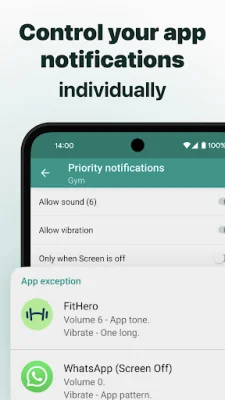

Latest Version
17.0.0
May 01, 2026
FitHero, LLC
Tools
Android
0
Free
com.fnp.audioprofiles
Report a Problem
More About Audio Profiles Volume Control
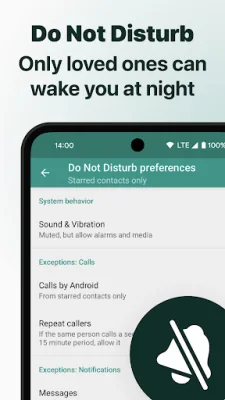
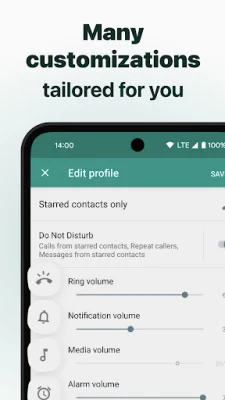
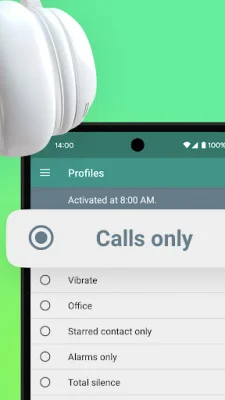
This application is fully compatible with Samsung devices and offers a variety of features to help manage your phone's Do Not Disturb preferences. With this app, you can customize your settings for calls, notifications, alarms, and more for each profile on your phone (available on Android M and above). This allows you to easily switch between profiles and control your notifications with ease.
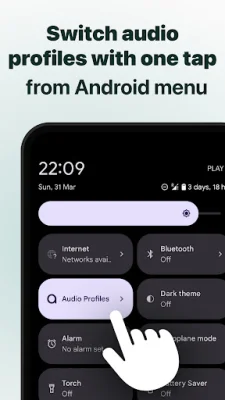
For quick access, the app also offers a notification widget that can be activated or deactivated as needed. Additionally, for devices running on Android N and above, there is a quick settings tile that allows for easy switching between profiles. You can also schedule specific audio or sound profiles for different times of the day, making it perfect for managing your phone during meetings, movies, or other activities.
One unique feature of this app is the ability to set priority notifications for each profile. This means you can control which apps can send notifications, as well as customize the ringtone, volume, and vibration pattern for each profile. This feature even works when your screen is off or on, giving you complete control over your phone's notifications.
Managing contact ringtones has never been easier with this app. You can control all your contact ringtones or calls to voicemail from one screen, making it convenient and efficient. The app also has a headphones feature that automatically changes the profile icon, media volume, and/or profile when headphones are plugged in.
Other useful features include a desktop widget for easy access, a timer that allows you to activate a profile for a certain amount of time, and a Tasker plugin for even more customization options. Please note that the app starts in 'Preview Mode' and requires unlocking to access all of its main features. With its user-friendly interface and helpful features, this app is a must-have for anyone looking to manage their phone's Do Not Disturb preferences.
Rate the App















Popular Apps









