

Auto Clicker - Auto Tap
by FLab (0 Reviews) November 01, 2025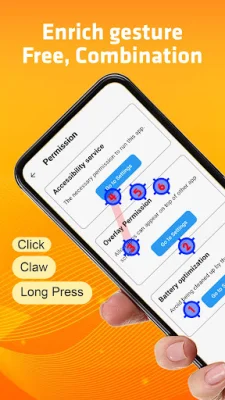

Latest Version
November 01, 2025
FLab
Tools
Android
0
Free
com.flabs.auto.clicker
Report a Problem
More About Auto Clicker - Auto Tap
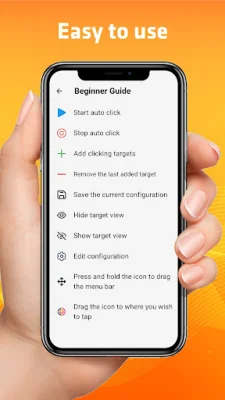
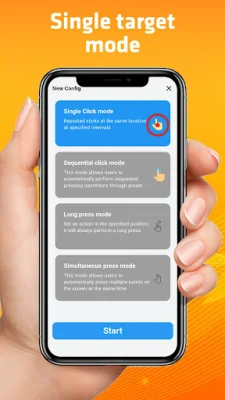
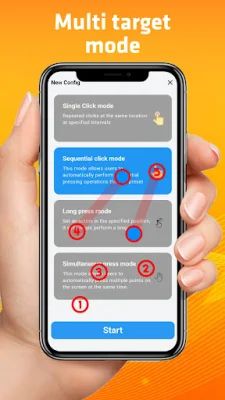
Our Auto Clicker app is a powerful tool that can help you automate repetitive clicking tasks on your device. It is perfect for tasks such as playing games, filling out surveys, or performing data entry, as it allows you to execute continuous taps without any manual effort. The app has a user-friendly interface that makes it easy to set up and start using within minutes. You can also customize click points, intervals, and types, and even create automated click sequences for more complex tasks. Additionally, the app can perform swipe gestures, making it even more versatile.
One of the key advantages of using our Auto Clicker app is that it saves you time and effort by reducing the need for manual input. It also improves efficiency by automating repetitive tasks, and can even help prevent repetitive strain injuries by reducing the risk of physical strain from continuous tapping. The app is also designed to be battery efficient, so it won't drain your device quickly.
There are various use cases for our Auto Clicker app, including gaming, data entry, testing, and accessibility. It can be especially helpful for individuals with physical challenges in interacting with touch-screen devices. The app is also safe to use, as it does not require internet access and does not collect any personal information. We also provide regular updates for better performance and responsive customer support for any queries or issues.
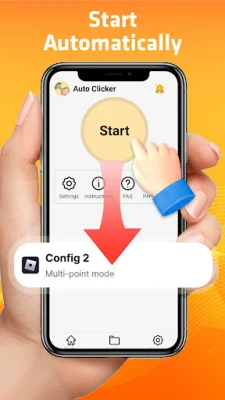
To use the app, simply download and install it from the store, grant necessary permissions for the AccessibilityService API, and set your click points and intervals. You can also save your settings as a profile for easy access later. It is important to note that the app only supports Android 7.0 and above and does not require root permission.
In summary, our Auto Clicker app is a must-have tool for anyone looking to automate repetitive tapping tasks. It offers a wide range of features, is easy to use, and can greatly improve your efficiency and productivity. So why wait? Download our app now and see the difference it can make in your daily tasks!
Why use the AccessibilityService API service?
The program uses the AccessibilityService API service to realize core functions such as automatic clicking, sliding, synchronous clicking, and long pressing. This allows the app to perform these tasks seamlessly and efficiently, making it a reliable tool for automating repetitive clicking tasks.
Do we collect personal data?
No, we do not collect any private information through the interface of AccessibilityService API. We respect user privacy and do not collect any personal data through our app.
Important Note:
Auto Clicker uses the AccessibilityService API for the core functionality of the program. It is important to note that the app only supports Android 7.0 and above and does not require root permission. We also strive to be original and SEO-oriented in our approach, ensuring a quality user experience for our customers.
Rate the App














Popular Apps









