

Auto Clicker : Click Assistant
1.18.3 by Y.C. Studio (0 Reviews) August 08, 2024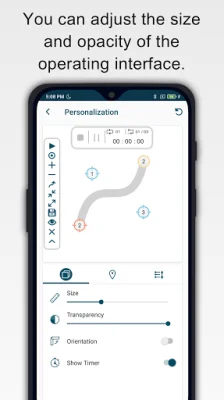
Latest Version
1.18.3
August 08, 2024
Y.C. Studio
Tools
Android
0
Free
com.rise.automatic.autoclicker.clicker
Report a Problem
More About Auto Clicker : Click Assistant
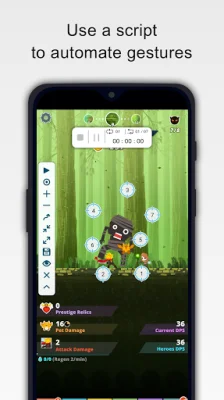
This application is designed to help users save time by automating repetitive tasks, allowing them to focus on other important things in their lives. With just a few taps, users can add click points to their screen using the floating control panel. This makes it easy to perform multi-touch gestures such as tapping, swiping, pinching, or spreading fingers to complete various actions.
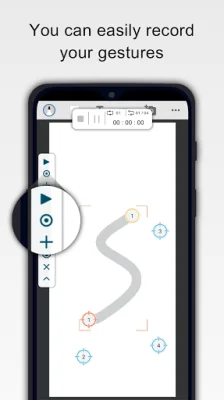
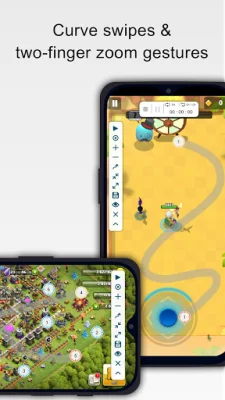
The app also offers the ability to record and save custom gestures, making it even more convenient for users to automate their tasks. The new interface allows for easy control, with options to stop, pause, or resume scripts at any time. It also features innovative curve swipes and two-finger zoom gestures for a more personalized experience.
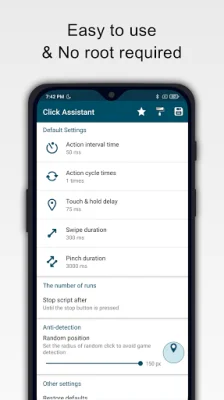
Users can also personalize the app by adjusting the size and opacity of the operating interface. They can also set parameters for clicks, such as delay, touch duration, and number of repetitions. The app also offers a countdown timer and does not require root access, making it accessible to a wider range of users.
To use this app, users must have an Android device running on version 7.0 or above. Once downloaded, users can start saving time by automating their tasks. For a more detailed guide on how to use the app, a user guide video is available for reference.
It is important to note that this app requires the Accessibility Services API to function properly. This includes performing clicks, swipes, and other core functions. For Android 12 and above, the accessibility permission is required. However, the app does not collect or share any personal or sensitive data using these capabilities, ensuring the privacy and security of its users.
Rate the App















Popular Apps









