

Auto Reply - Auto Responder
by Messenger Automation (0 Reviews) July 10, 2026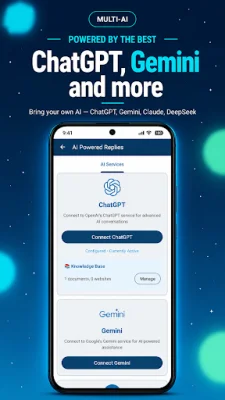
Latest Version
July 10, 2026
Messenger Automation
Communication
Android
0
Free
com.wpauto.airesponder
Report a Problem
More About Auto Reply - Auto Responder
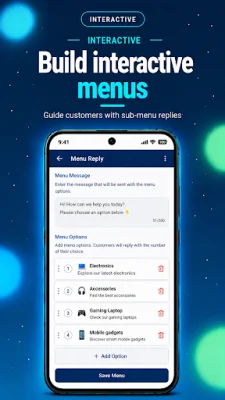
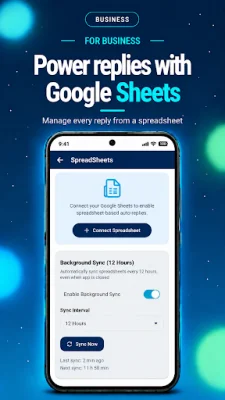
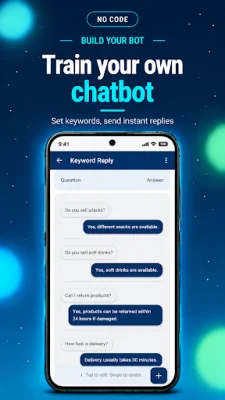
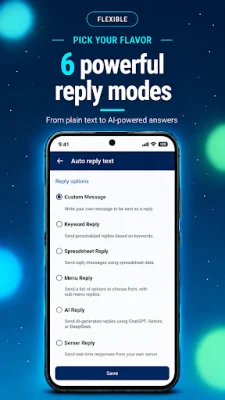
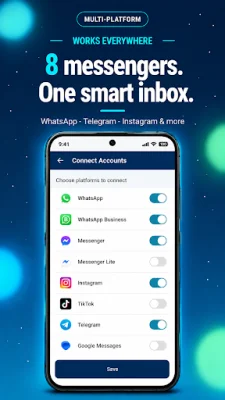
Auto Reply is an application that uses artificial intelligence (AI) to automatically respond to messages on various messaging platforms such as WhatsApp, Instagram, TikTok, Messenger, and more. It offers a variety of features including keyword rules, menus, and the ability to upload your own PDFs. With Auto Reply, you'll never miss a message again. The app supports 12 messaging apps, which is more than any other auto reply app on the market. These include popular platforms like WhatsApp, Instagram, TikTok, Messenger, and more. It also offers four different AI models for users to choose from, including ChatGPT, Gemini, Claude, and DeepSeek. Users can even bring their own API key, making it easy to use without any additional markup. With support for over 100 languages, Auto Reply can cater to a global audience. Additionally, users can customize the system prompt to match their brand's voice. One unique feature of Auto Reply is the ability to upload any PDF and have the AI respond using its content. This is perfect for menus, catalogs, price lists, FAQs, and more. Users can update the PDF at any time and the bot will automatically refresh with the new information, without any coding required. The app also offers a website and text knowledge base, allowing users to import any webpage as bot knowledge and add FAQs, scripts, and policies. This can be combined with PDFs and text to create a comprehensive source for the AI to respond from. For those who prefer to use Google Sheets, Auto Reply offers integration with the platform. Users can use a Sheet as their reply database, edit answers without app updates, and even share it with their team. The app also allows users to create menu-driven chatbot flows, similar to an IVR system, for self-service. This is great for catalogs, FAQs, bookings, and more. Additionally, users can schedule follow-ups with a delay in minutes, hours, or days and even target or exclude specific contacts. Auto Reply also offers smart reply rules, including exact match or contains keyword detection, welcome messages for first-time chats, human-like reply delay, and the ability to reply to all, contacts only, or unknowns. It also supports group chats and allows for custom headers and footers per channel. This app is perfect for small businesses, freelancers, e-commerce, real estate, restaurants, salons, clinics, support teams, coaches, and anyone with a high message volume. It prioritizes privacy, with all data stored locally on the device and no middleman servers. It is also GDPR-friendly and works on Android 5.0+. To use Auto Reply, simply install the app and grant notification access. Then, choose the channels you want to use and add an AI key (optional). From there, you can set rules, upload a PDF, or build a menu and turn on the app. Auto Reply stands out from its competitors with its 12 supported chat apps, four AI models, PDF chatbot feature, Google Sheets integration, and menu-driven flows. Users can try all of these features for free and have access to 24/7 automation. For those who want even more, there is a premium option that offers unlimited AI replies, higher PDF upload limits, priority support, and early access to new AI models. For support, users can contact [email protected]. Auto Reply is not affiliated with any of the messaging platforms it supports.
Rate the App















Popular Apps









