

Automatic Call Recorder ACR
15.2.24 by Ambition Developer (0 Reviews) August 09, 2024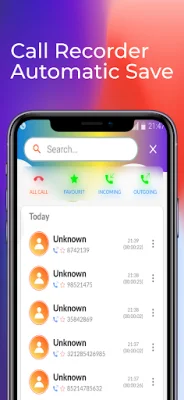
Latest Version
15.2.24
August 09, 2024
Ambition Developer
Tools
Android
0
Free
com.callrecorderautomatic.callrecorder
Report a Problem
More About Automatic Call Recorder ACR
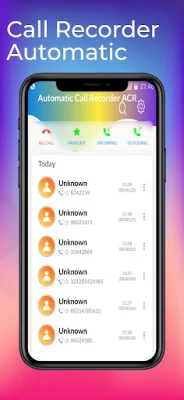
The Call Recorder app is a useful tool for managing and recording your phone calls. It displays a list of all your recorded calls on the home screen, making it easy to access and organize them. You can also sort and mark calls for easy reference. With the integrated audio player, you can listen to your recordings directly on the app, ensuring you never miss an important detail again. The app is designed to be simple and user-friendly, making it easy for anyone to use.
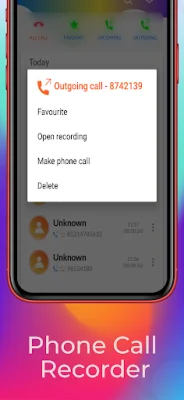
The app has several key features that make it stand out. It automatically records all incoming and outgoing calls in high quality, ensuring that you never miss a conversation. You can also access your call records and call information overview through the after-call menu. The app also allows you to sort, filter, mark as favorite, open recordings, make phone calls, and delete recordings. With unparalleled audio quality, you can be sure that your recordings will have clear sound from both sides.
Call Recorder is the best phone call recorder for Android. It is an automatic call recorder that can record all your calls with high quality. The app is easy to use and has many functions for call recording. It is perfect for recording important conversations and ensuring that you don't miss any details. However, it is important to note that call recording may be illegal in some countries or states, so it is up to the user to determine if it is legal to record calls.
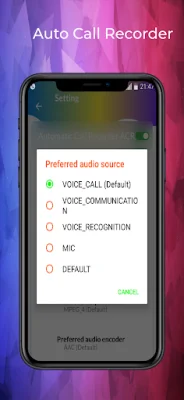
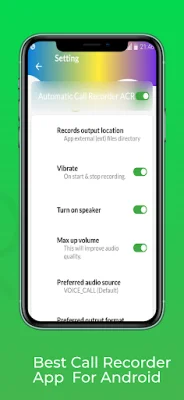
Some devices and versions of Android may not support call recording. In such cases, the app suggests enabling the "Activate loudspeaker" option in the "Settings" application or manually activating the loudspeaker to redirect audio and resolve the issue. The app also reminds users not to use it in conjunction with other call recording apps to ensure smooth operation.
Overall, Call Recorder is a reliable and convenient app for recording outgoing calls. It securely saves all recordings on your phone and does not share them with any external sources. So whether you're conducting an interview or participating in a conference call, this app has got you covered. Just make sure to allow the necessary app permissions for it to function properly.
Rate the App















Popular Apps









