

BLE Tasker Plugin
by Stein Overtoom (0 Reviews) November 07, 2025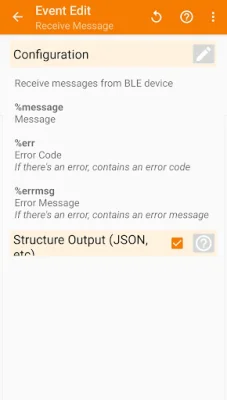

Latest Version
November 07, 2025
Stein Overtoom
Tools
Android
0
Free
nl.steinov.bletaskerplugin
Report a Problem
More About BLE Tasker Plugin
The application supports BLE chips from four different vendors: Nordic Semiconductor, Texas Instruments, Microchip, and Telit. Each vendor has a unique vendor id, which is used to identify the chip. The supported chips are the Nordic Semiconductor nRF51822, Texas Instruments CC254x, Microchip RN4870/1, and Telit Bluemod. However, it is possible to use other chips with different characteristics as long as they support the BLE protocol.
In order to use the application, the user must first configure their own vendor id and set up a single read and write characteristic in the Connect Action. This allows for a simple and customizable connection to the BLE device.
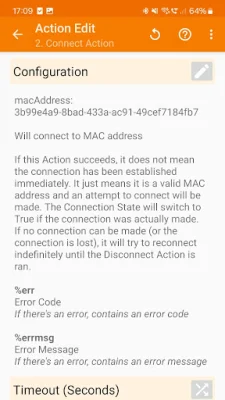
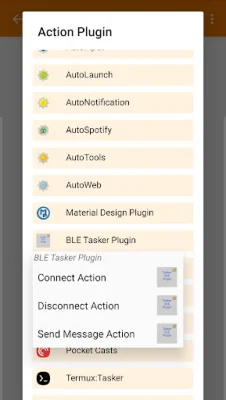
The current functionality of the application includes four main actions: Connect, Disconnect, Send Message, and Receive Message. The Connect Action is used to establish a connection to the BLE device by providing the device's MAC address. If the connection is lost, the plugin will continuously try to reconnect until the Disconnect Action is used. This action also starts the plugin running in the foreground with a notification.
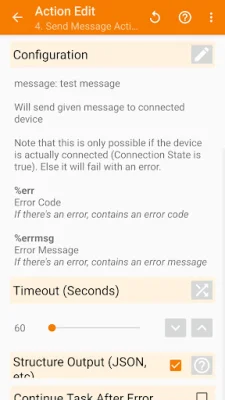
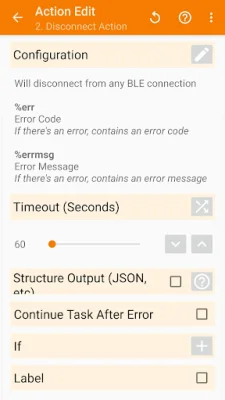
The Disconnect Action is used to disconnect from the BLE device and stop the foreground service of the plugin. The Send Message Action allows the user to send a message (in the form of a string) to the connected BLE device. The Receive Message Event is triggered when a message is received from the BLE device and the message is captured in the local %message variable in the attached task.
The application also includes a Connection State, which activates when there is an active connection and deactivates when the connection is lost. This state is useful for monitoring the status of the connection and can be used in tasks to perform certain actions based on the connection state. For example, if the BLE device is turned off, the connection will be lost and the state will deactivate. If the device is turned back on and the connection is re-established, the state will activate again.
In summary, this application allows for easy and customizable connections to BLE devices using supported chips from various vendors. The user can configure their own vendor id and use the Connect Action to establish a connection. The application also includes actions and events for sending and receiving messages, as well as a connection state for monitoring the status of the connection.
Rate the App







Popular Apps









