
MP4 Converter any Video to MP4
1.6.20 by BRAINIFY (0 Reviews) April 19, 2026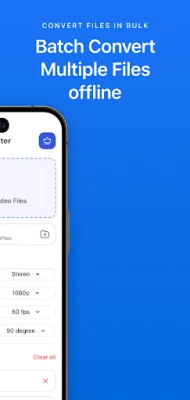
Latest Version
1.6.20
April 19, 2026
BRAINIFY
Tools
Android
0
Free
app.brainify.mp4converter
Report a Problem
More About MP4 Converter any Video to MP4
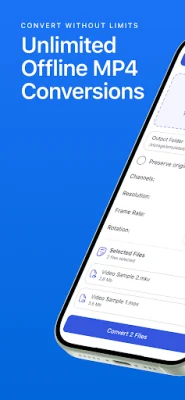
This app is the ultimate solution for converting any video file to MP4 format without any limitations. It caters to a wide range of users, including filmmakers, content creators, and anyone who values high-quality videos. With customizable options, you have complete control over your video files, allowing you to adjust volume, audio channels, and more.
Who can benefit from this app? Anyone who needs to handle video files can benefit from our MP4 Converter. Whether you're a videographer, editor, content creator, or simply someone who enjoys high-quality visuals, this app is tailored to meet your needs.
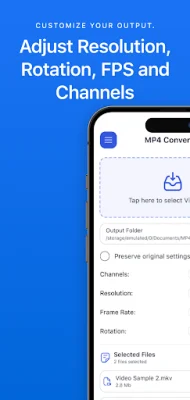
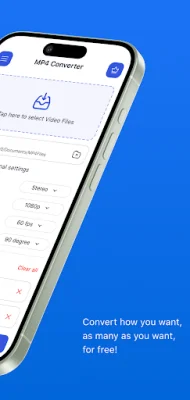
Key features of our MP4 Converter include unlimited video to MP4 conversions, customizable video options, fast conversion process, batch conversion support, and high-quality video output. You can convert as many files as you need without any limits on size or quantity, adjust resolution, frame rate, volume, rotation, and audio channels, and benefit from quick conversions that save you time.
Our MP4 Converter supports a wide range of video formats, making it a seamless video conversion tool. You can convert MKV, AVI, MOV, WMV, FLV, WebM, 3GP, and more to MP4, ensuring that all your video files are covered. It also works as a MKV to MP4 Converter, AVI to MP4 Converter, MOV to MP4 Converter, and more.
This app is perfect for content creation, video sharing, e-learning, and video archiving. It is ideal for converting videos for editing, sharing on social media platforms, creating tutorials or presentations, and archiving videos with customized audio. Additionally, it offers batch processing, a user-friendly interface, and offline conversion capabilities.
Some frequently asked questions about our MP4 Converter include whether there is a limit to the number of conversions, if multiple files can be converted at once, and if converting will impact video quality. The answers are no, yes, and no, respectively. Our app allows unlimited conversions, supports batch processing, and ensures minimal loss in quality for your MP4 video files. With MP4 Converter, you can enjoy high-quality video conversions without any compromises.
Rate the App








Popular Apps









