
BlueRadar: Bluetooth Finder
by yazilimk (0 Reviews) March 21, 2026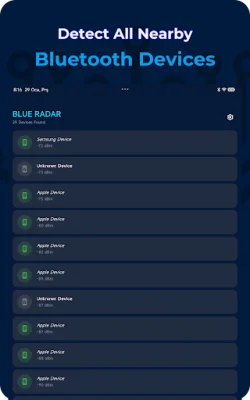
Latest Version
March 21, 2026
yazilimk
Tools
Android
0
Free
com.mk.yazilimk.blueradar
Report a Problem
More About BlueRadar: Bluetooth Finder
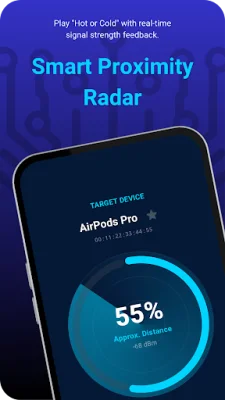
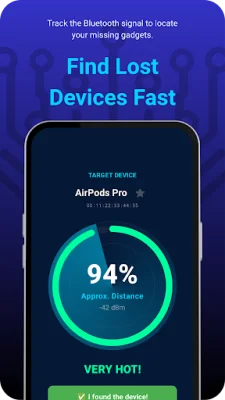
BlueRadar is an application that simplifies the search for your Bluetooth devices by turning it into a "Hot or Cold" experience. It uses Bluetooth signal strength to help you determine if you are getting closer or farther away from your device.
In the latest version, BlueRadar has added power utility features to its already impressive list of capabilities. It not only helps you find your devices, but also allows you to organize them and review nearby Bluetooth activity.
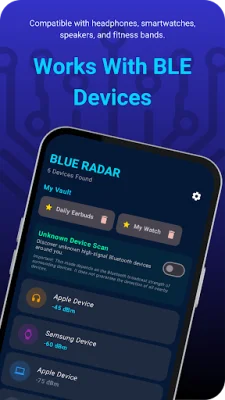
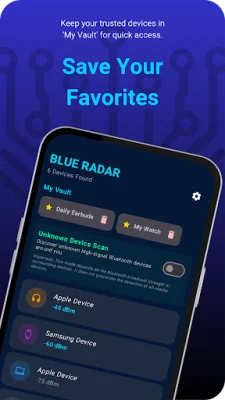
One of the key features of BlueRadar is the "My Vault" feature, which allows you to save your trusted devices for easy access and tracking in the future. This is especially useful for frequently used devices like earbuds or smartwatches.
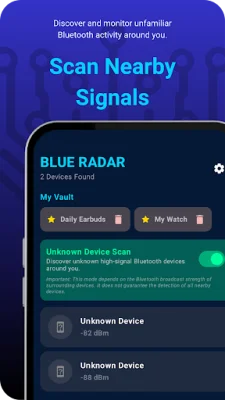
If you're curious about the Bluetooth activity in your surroundings, BlueRadar also has a "Nearby Signal Scan" feature that highlights stronger signals from devices that are not saved in your Vault. This gives you a better understanding of your surroundings and the devices around you.
BlueRadar offers a variety of features to make your search for Bluetooth devices easier and more efficient. Its Smart Signal Radar provides a visual interface to show real-time proximity, while the Hot & Cold Guidance feature gives you feedback on whether you are getting closer or farther away from your device. It also supports a wide range of Bluetooth devices, including earbuds, watches, fitness trackers, and speakers, and is optimized for low battery usage during active scans.
To use BlueRadar, simply open the app and grant the required Bluetooth permissions. You can then add your devices to My Vault or select them directly from the scanner list. As you move around, the Radar screen will show you the signal trend, with a "Very Hot" signal indicating that you are very close to your device.
It's important to note that BlueRadar relies on Bluetooth signal strength, which can be affected by various factors such as walls, cases, and environmental conditions. The app provides estimated proximity and does not guarantee the exact location or recovery of lost items. It also may not detect all nearby devices or unfamiliar signals. However, it is still a useful tool for simplifying the search for your Bluetooth devices.
Rate the App














Popular Apps









