
Bluetooth Device & BLE Scan
1.0.5 by Galaxy studio apps (0 Reviews) September 16, 2024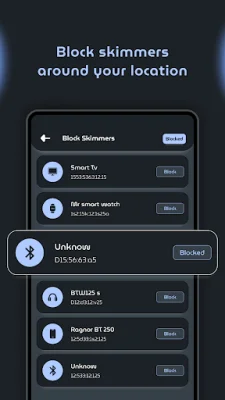
Latest Version
1.0.5
September 16, 2024
Galaxy studio apps
Tools
Android
0
Free
com.kraph.bledevice
Report a Problem
More About Bluetooth Device & BLE Scan
If you frequently use a Bluetooth device, this app is designed to help you with all the necessary safety instructions. It is called Bluetooth Manager and it allows you to connect your Bluetooth device with full safety. The app has various features that make it easier for you to manage your Bluetooth connections and protect your device from potential threats.
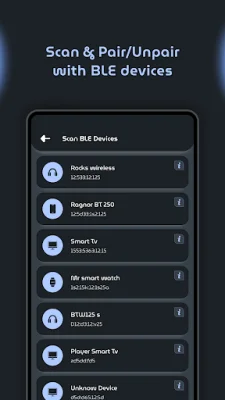
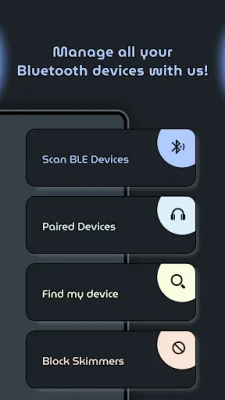
The first feature of the app is the ability to scan for available Bluetooth devices in your surroundings. This allows you to see all the devices that are within range and connect to them safely. The app also has a filter option that lets you choose which devices you want to connect to. Additionally, you can directly pair or unpair your device from the app, making the process more convenient.
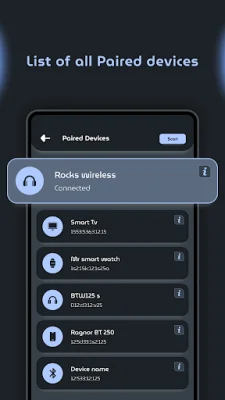
The app also has a section that displays all the devices that are currently paired with your phone. This list includes detailed information about each device and gives you the option to block a device from connecting. You can also rename a Bluetooth device or delete/unpair it from your phone. Another useful feature is the ability to manage the volume of connected Bluetooth devices, making it easier to control the sound output.
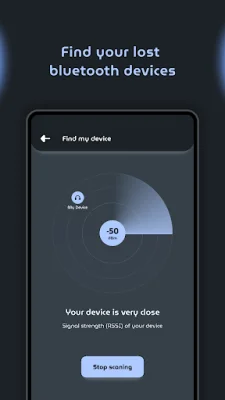
The "Find My Device" feature is particularly helpful in case you misplace your Bluetooth device. It allows you to locate nearby lost devices and provides you with their exact position and information. This can save you a lot of time and effort in finding your lost device.
To ensure maximum safety and protection, the app also has a feature that shows all unrecognized nearby devices. This helps you identify potential threats and avoid connecting to them. One of the key features of the app is its ability to automatically disconnect your Bluetooth when it's not active for a minute. This not only saves your battery life but also eliminates the need to manually turn off your Bluetooth.
The app requires certain permissions to function properly. It uses location permission to scan for nearby Bluetooth devices and Bluetooth connect permission for managing Bluetooth functions. These permissions are only used for phones running on Android OS 12 and above. With Bluetooth Manager, you can forget about all Bluetooth-related problems and enjoy a safe and hassle-free experience.
Rate the App















Popular Apps









