Bluetooth Device Lost Found
1.0.3 by DVG Tech Apps (0 Reviews) August 08, 2024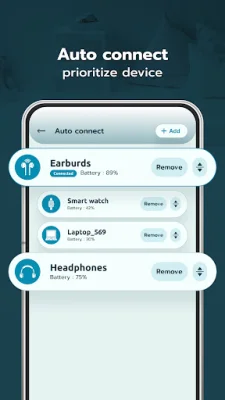
Latest Version
1.0.3
August 08, 2024
DVG Tech Apps
Tools
Android
0
Free
com.dvg.findlostbtdevices
Report a Problem
More About Bluetooth Device Lost Found
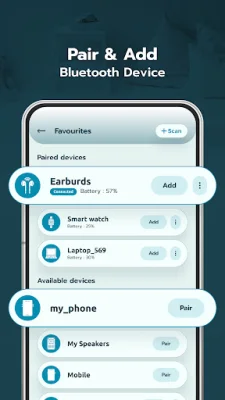
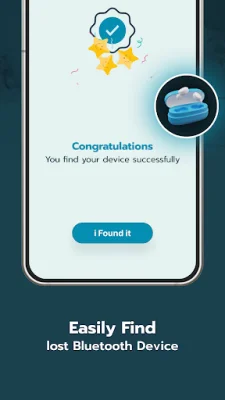
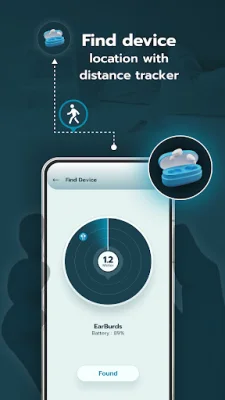
To help you find your lost Bluetooth devices, this app allows you to pair them with your Bluetooth connection. This means that you can easily locate your misplaced devices by checking the distance between them and your phone. Once you find the device, you can claim it as found through the app.
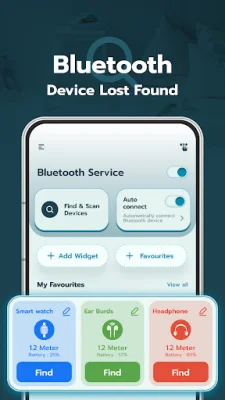
In addition to helping you find lost devices, this app also offers an auto-connect feature. You can prioritize which devices you want to automatically connect to via Bluetooth and easily turn the feature on or off for improved usability.
For quick and convenient access to your frequently used devices, you can add a widget to your device's Home Screen. This widget allows you to track the battery levels of your connected Bluetooth devices and receive alerts when the battery is low. You can also create a list of your favorite paired devices for even easier management.
With the ability to scan and pair with available Bluetooth devices, this app simplifies the process of connecting and managing your devices. You can easily search for specific devices by name and sort them by signal strength for better organization.
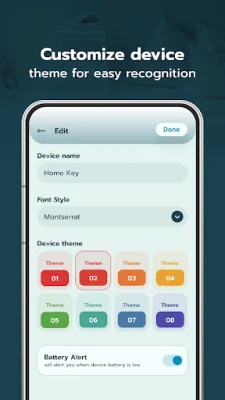
For a personalized experience, you can access all your added Bluetooth devices through the "My Favorites" section. Here, you can customize the appearance of each device card with different themes, colors, and text styles. You can also add a widget to your Home Screen for quick access to your favorite devices and their battery levels.
In order to provide these features, the app requires certain permissions. The "Nearby Device" permission is necessary to scan and discover nearby Bluetooth devices, while the "Location" permission is needed to find the physical location of the devices. These permissions ensure that the app can effectively help you locate your lost Bluetooth devices.
Rate the App















Popular Apps









