

Bluetooth Terminal-Find Device
1.2.5 by BetterTools (0 Reviews) August 08, 2024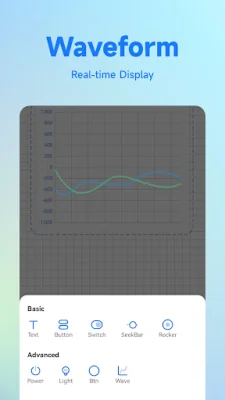
Latest Version
1.2.5
August 08, 2024
BetterTools
Tools
Android
0
Free
com.bluetooth.assistant
Report a Problem
More About Bluetooth Terminal-Find Device
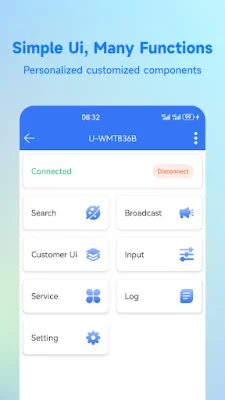
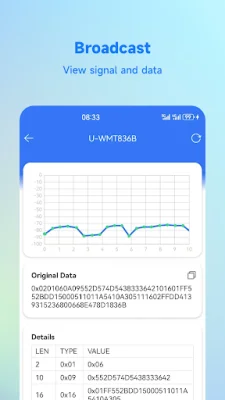
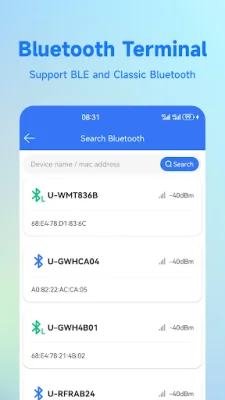
The Bluetooth Terminal is an application that provides a variety of core functions to assist with the development and debugging of Bluetooth devices. These core functions include device scanning, signal strength detection, device connection, Bluetooth services and characteristics, Bluetooth device and service name editing, data sending and receiving, logging, and data export. These features are essential for developers to effectively test and troubleshoot their Bluetooth devices.
One of the advanced features of the Bluetooth Terminal is the ability to add custom components to a provided panel. This allows for a more personalized experience, as users can add various components such as waveform graphs, buttons, and text boxes to display related data. This feature also supports binding, allowing for the display of real-time data from the connected Bluetooth device.
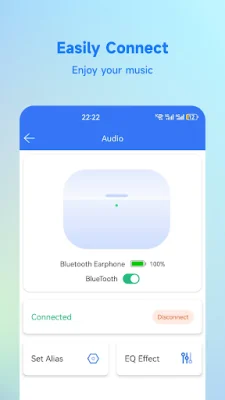
The Bluetooth Terminal also offers a "find device" function, which uses signal strength to estimate the distance of a lost Bluetooth device. This makes it easier for users to locate their lost devices. Additionally, the application supports the connection and battery check of various Bluetooth devices, including headphones, audio devices, and cars. This makes it convenient for users to connect their Bluetooth devices and enjoy their music without any hassle.
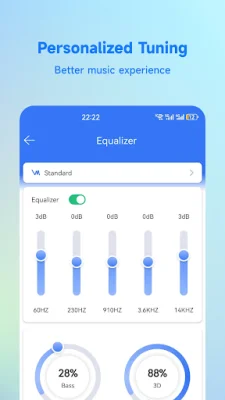
Another useful feature of the Bluetooth Terminal is the built-in equalizer. This allows users to customize the low and high notes for a personalized sound experience. It can also be used for audio testing and as an audio assistant. This feature is especially beneficial for those who are particular about their music quality.
The Bluetooth Terminal is designed to make the development process smoother and more efficient for developers. It ensures that they can easily handle the debugging needs of various Bluetooth devices. With its comprehensive set of core functions and advanced features, the Bluetooth Terminal is a valuable tool for anyone involved in the development and testing of Bluetooth devices.
Rate the App















Popular Apps









