
Broadlink RM Plugin Lite
2.6.2 by OriginallyUS.SG - Award Winning App Consultancy (0 Reviews) August 08, 2024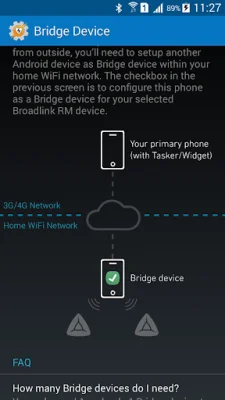
Latest Version
2.6.2
August 08, 2024
OriginallyUS.SG - Award Winning App Consultancy
Tools
Android
0
Free
us.originally.rm_trial
Report a Problem
More About Broadlink RM Plugin Lite
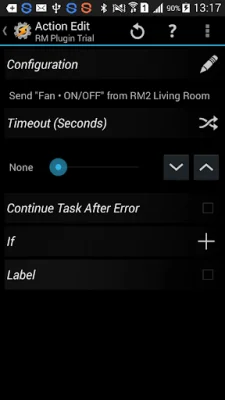
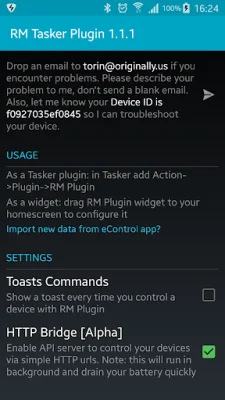
This application allows users to program and customize their experience with Broadlink devices outside of the proprietary Broadlink eControl apps. This is made possible through a Tasker plugin, which allows for configuration of RM Controllers to work exactly as desired. The plugin also provides friendly APIs for integration with various home automation systems.
The application is compatible with a range of Broadlink devices, including RM2, RM Home, RM Pro, RM3 Mini (BlackBean), SP2, SPMini, Contros, and A1. Support for S1 and other sensors may be added in future versions.
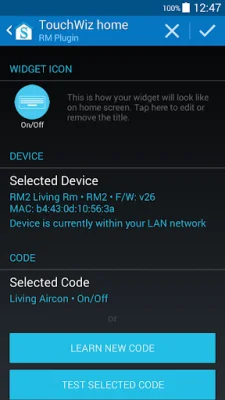
Users can add a widget or button to their home screen for easy control of Broadlink devices with just a few clicks. The app also acts as a bridge between Amazon Echo and Broadlink devices, allowing for voice control through Alexa. This feature can be enabled by simply telling Alexa to "discover devices".
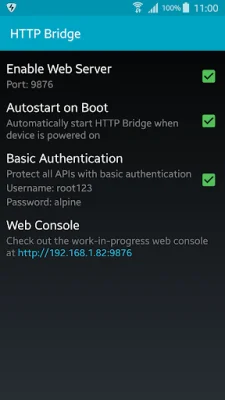
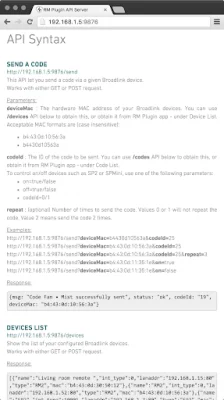
The app also functions as an HTTP Bridge, allowing for control of Broadlink devices through simple HTTP urls or curl commands. The API syntax is user-friendly and well-documented within the app, making it easy to integrate RM devices into a home automation setup. Additionally, users can trigger devices and macros directly from their Android Wear watch.
With version 0.8.0 and above, users can control their Broadlink RM devices even when outside of their home WiFi network. This can be done through the app as a Tasker plugin or a homescreen widget, by enabling a Bridge device within the home WiFi network. The app also allows for importing existing data from the Broadlink eControl app, eliminating the need for manual copying and pasting. Once this is done, the eControl app can even be uninstalled.
It is important to note that this app can be used as a plugin in Tasker or as a standalone app. The developers only officially support Tasker and will not provide support for other automation apps such as MacroDroid or Locale.
Rate the App















Popular Apps









