
Calculator Lock - Photo Vault
1.3.0.0 by AI Photo Team (0 Reviews) November 28, 2025




Latest Version
1.3.0.0
November 28, 2025
AI Photo Team
Tools
Android
0
Free
calculatorlock.calculatorvault.photovault.hider
Report a Problem
More About Calculator Lock - Photo Vault
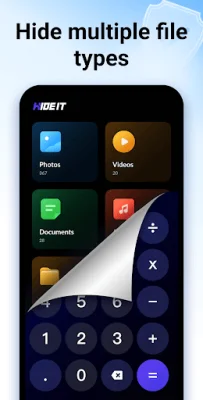
HIDEit is a mobile application that allows users to hide files of various formats, such as photos, videos, audios, and documents, in a secret vault disguised as a calculator. Users can also use this fake calculator to lock apps and prevent others from accessing their private information. The app uses advanced encryption algorithms to ensure the safety of the hidden files and offers features such as intruder selfie, icon disguise, and fake space to further protect user privacy.
One of the main features of HIDEit is its ability to hide files of all formats, including JPEG, GIF, PNG, SVG, DOC, PPT, MP4, MKV, and RAW. These hidden files will no longer show up in the device's gallery or other apps, and can only be accessed through the built-in player and viewer within the app. Additionally, users can lock apps with fingerprint, PIN, or pattern lock, using AES encryption to safeguard their social media, messaging, and financial apps.
The app also offers an intruder selfie feature, which takes a photo of anyone who enters the wrong password a certain number of times, allowing users to identify potential intruders. HIDEit also has an icon disguise feature, where the fake calculator can be disguised as a normal calculator or browser, making it virtually undetectable to others. Users can also create fake spaces with different passwords to further protect their data.
HIDEit also offers cloud backup to securely store all hidden files on Google Drive, preventing any loss of data. The app also has upcoming features such as a private browser and the ability to hide apps for privacy and easy management.
The app also addresses common concerns through its FAQ section, such as the ability to reset a forgotten password and the restoration of hidden files after uninstalling the app. HIDEit also assures users that the permissions required by the app will only be used for their intended purpose and not for any other reason.
Overall, HIDEit is a comprehensive and secure solution for those looking to protect their privacy by hiding files and locking apps on their mobile devices. With its advanced encryption algorithms and various features, HIDEit offers a reliable and user-friendly experience for its users.
Rate the App














Popular Apps









